Sasha Blumenfeld ·11/16/2026


We built OpenRouter so developers can reach many models and providers through one API, use the best model for each task, and count on it to respond. Starting today, that extends to everyone building on Hugging Face. Chat models on Hugging Face Inference Providers now run through OpenRouter, with the same routing across providers that OpenRouter customers already rely on.
The integration also runs the other way. OpenRouter can now send a trace of each request to a Hugging Face Storage Bucket you own, so the prompts and responses from your real traffic sit next to the models and datasets you would use to evaluate or fine-tune on them. The setup guide has the steps.
What you get on Hugging Face
Many chat models on Hugging Face are served by more than one provider. OpenRouter’s provider routing now powers routing on Hugging Face Inference Providers, and it picks the provider for each request based on live price, speed, and reliability. You don’t have to set anything up, and your existing Hugging Face token and code keep working.
You also get automatic failover. If a provider slows down or starts failing, requests go to other providers until it recovers. If a provider returns an error, the request is retried on the next one inside the same call.
When we rebuilt this routing in October, a live experiment measured 46% fewer requests hitting a capacity error, 16.9% faster time to first token, and 16.3% higher throughput, for 6.0% higher cost per request. Everyone building on Hugging Face now gets the same routing.
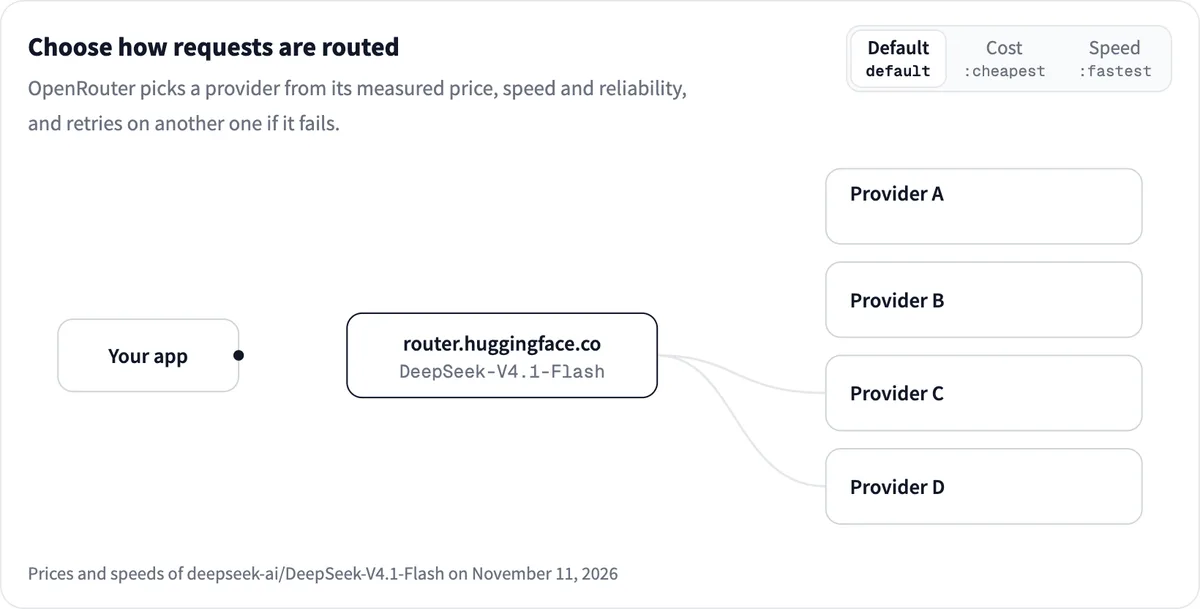
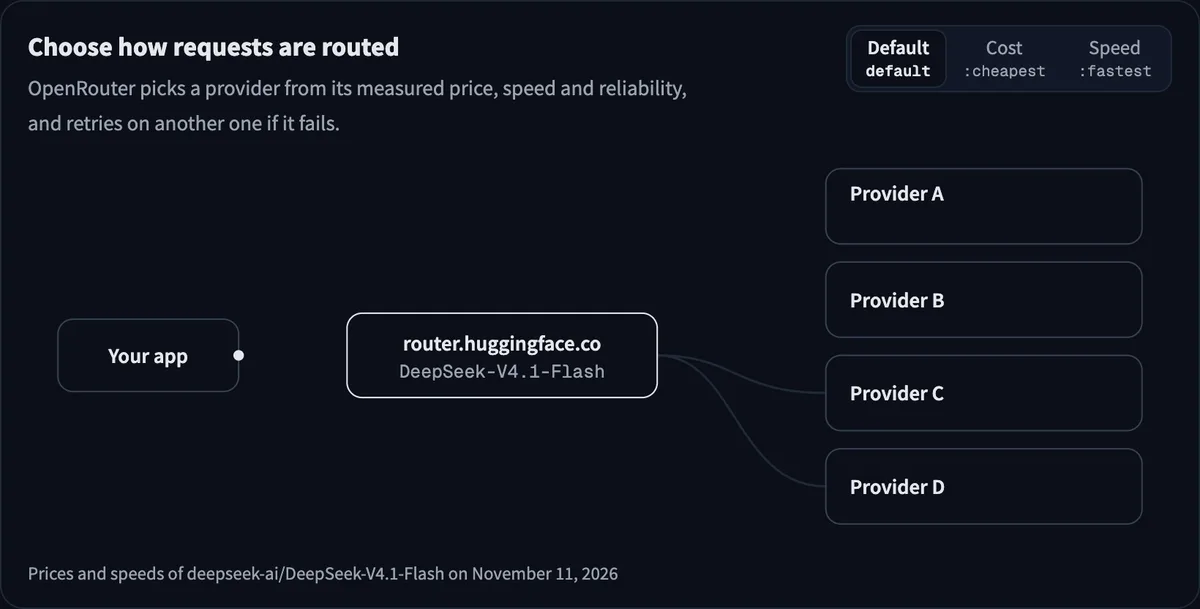
You stay in control of the trade-off. Adding a suffix to the model ID, such as :fastest, :cheapest, or a provider name, tells OpenRouter what to prioritize, and requests work through OpenAI’s Chat Completions and Responses APIs or Anthropic’s Messages API. A conversation also stays on the provider that holds its prompt cache.
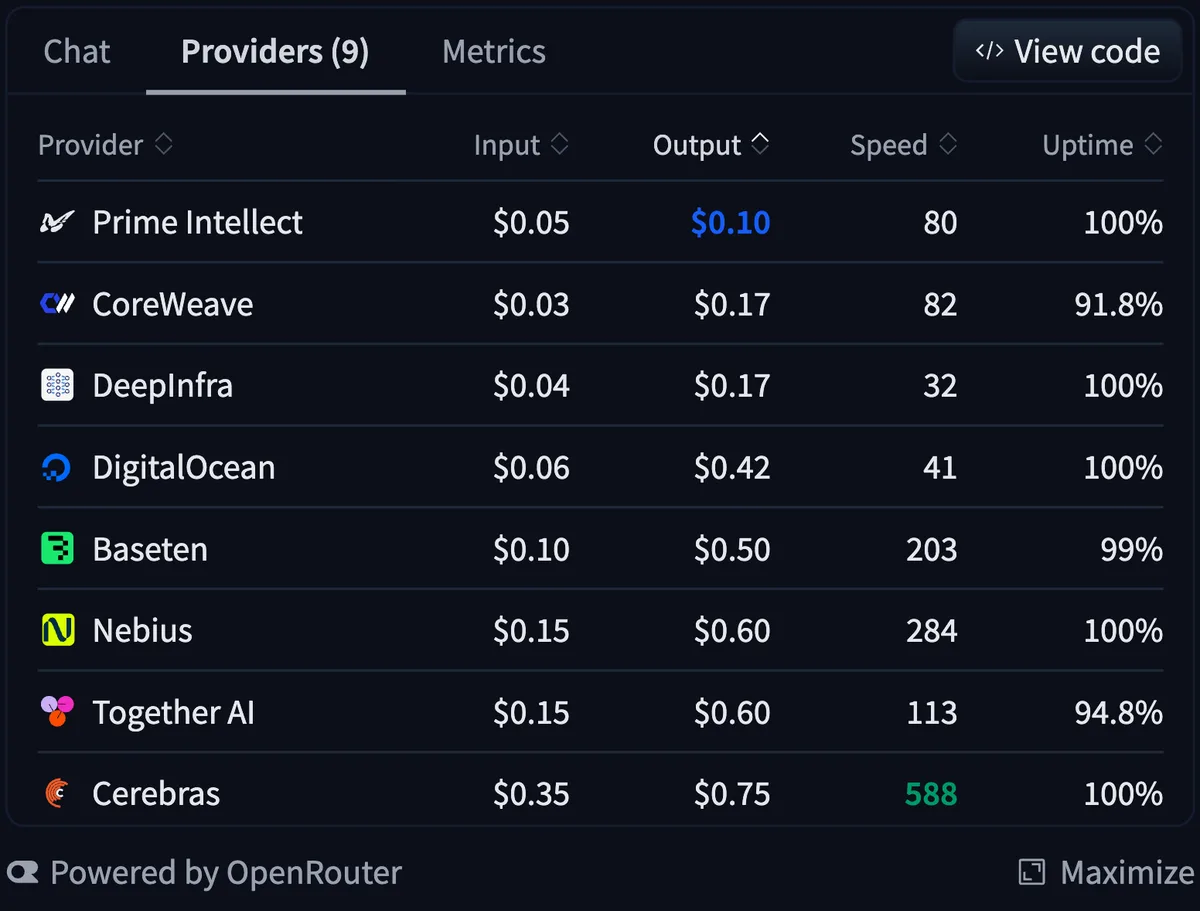
Each model page has a new Providers tab with live price, speed, and uptime for every provider. You can see your spend by provider and turn off any provider you don’t want to use.
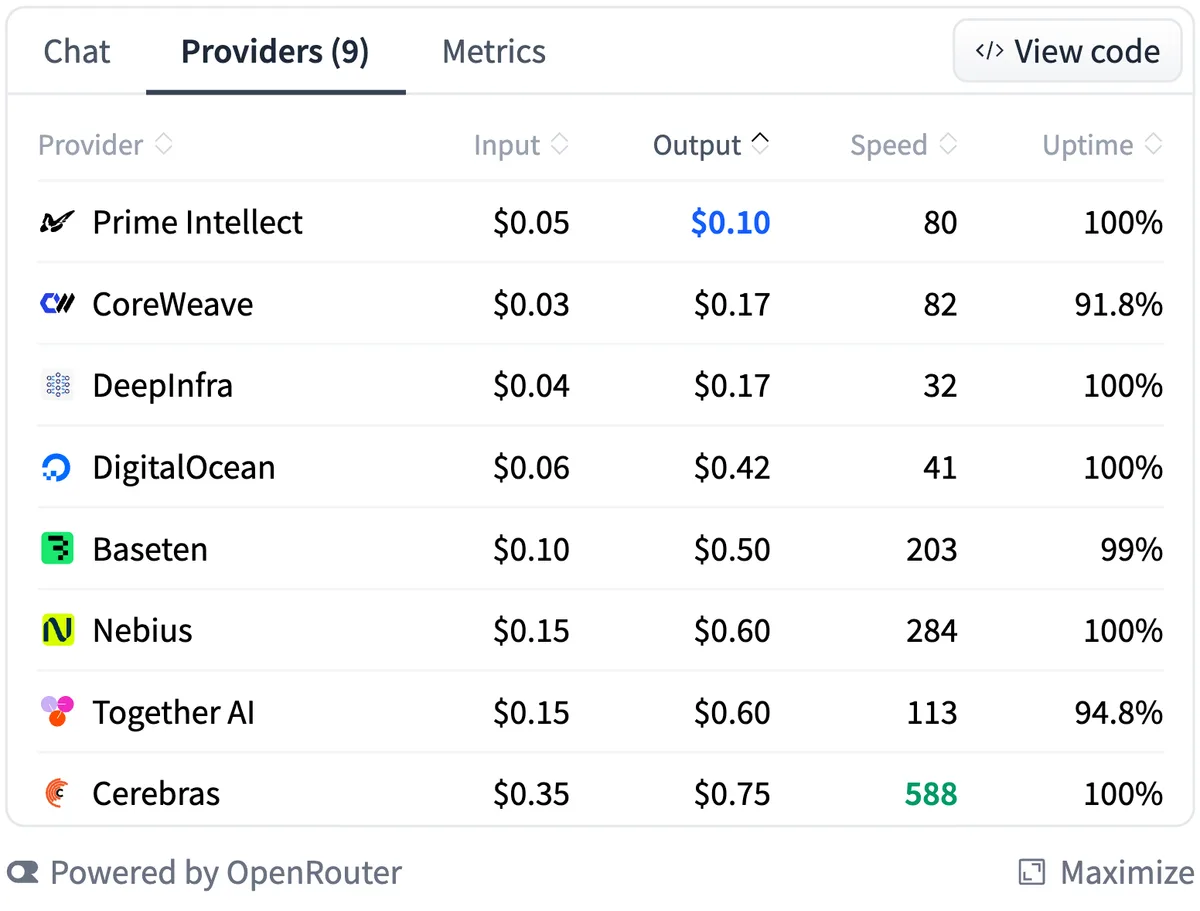
160 models from 38 labs are available this way today, which is every model OpenRouter serves that has a page on the Hub. They include the open-weight models developers use most on OpenRouter, where open-weight models now carry about 70% of paid tokens:
- DeepSeek V4.1 Flash
- MoonshotAI Kimi K3.1 Pro and Kimi K3
- Z.ai GLM 5.3 and GLM 5.3 Flash
- Qwen3.8 27B
- MiniMax M3.1 Flash
- Xiaomi MiMo-V2.6-Flash
- NVIDIA Nemotron 3 Ultra
- OpenAI gpt-oss-120b
Your traces can live on the Hub
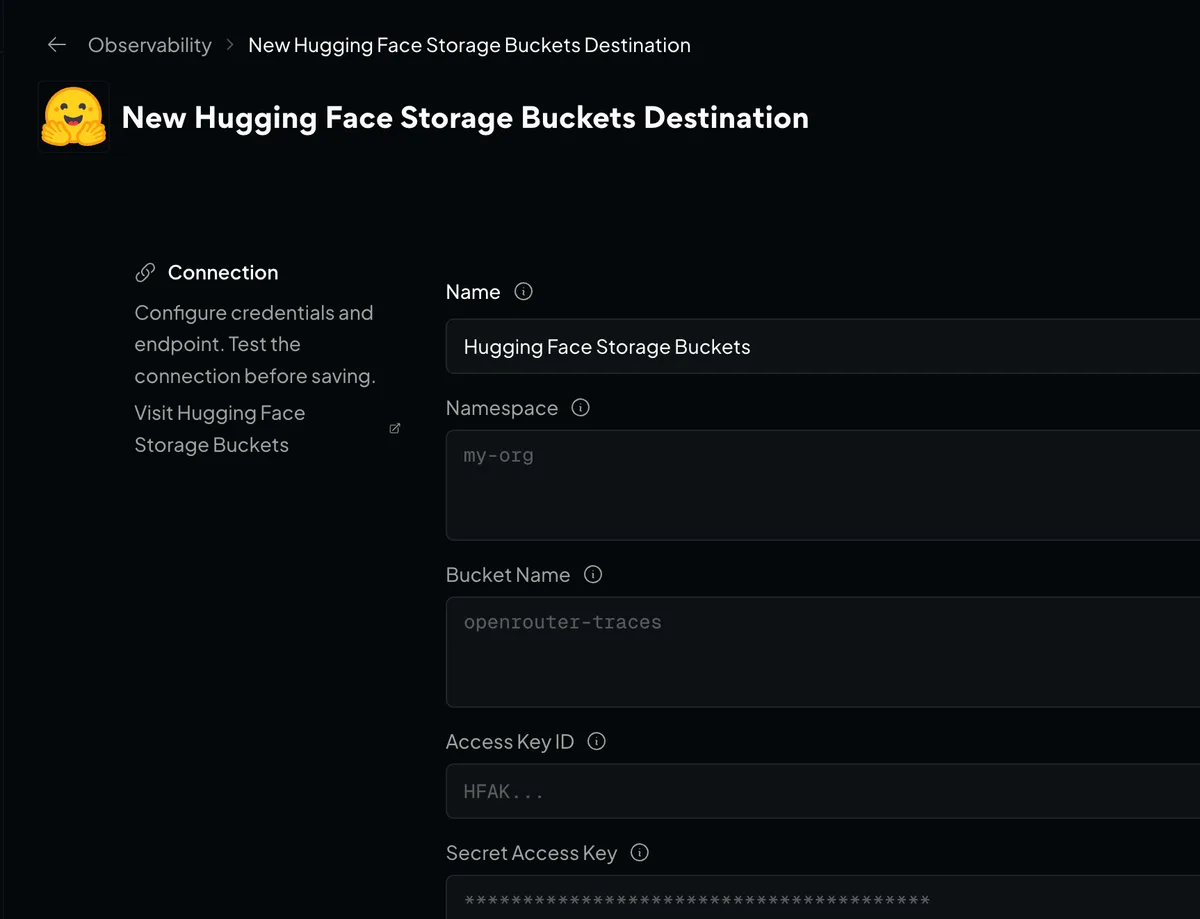
Add Hugging Face Storage Buckets as a Broadcast destination (it’s in beta) and OpenRouter sends each request as a JSON file to a bucket you own. Each file holds the input messages, the model’s output, token counts, and cost. Images and other media are left out.
That’s the raw material for an evaluation set or a fine-tuning run on an open-weight model. You can organize the files by date or by API key.
Get started
On Hugging Face:
- Create a token at hf.co/settings/tokens with the “Make calls to Inference Providers” permission.
- Open any supported model’s page on the Hub. Chat with it there, or click View code for setup steps for your code or your coding agent, including Claude Code, Codex, OpenCode, Pi, and Hermes Agent.
- To choose which providers can serve your requests, go to Inference Providers in your Hugging Face settings.
To send traces to a Storage Bucket:
- Create a Storage Bucket on Hugging Face.
- Create an access token with Write permission and generate S3 credentials from it.
- In OpenRouter, go to Settings > Observability, turn on Broadcast, and open Hugging Face Storage Buckets.
- Enter your namespace, bucket name, access key ID, and secret access key. A path template such as
{apiKeyName}/{date}is optional. - Click Test Connection, then save.
The full setup guide covers path templates and the trace file format.
Try a model in the Hugging Face Playground, or send your traces to a Storage Bucket.