阿里千问发布 Qwen3.6-Plus,主打真实世界智能体能力
Qwen3.6-Plus: Towards Real World Agents
阿里千问发布 Qwen3.6-Plus,通过阿里云百炼 API 提供,默认 1M 上下文窗口,重点提升智能体编码与多模态感知推理能力。官方基准显示其在 SWE-bench Verified 得 78.8、Terminal-Bench 2.0 得 61.6、QwenClawBench 得 57.2,均高于 Qwen3.5-397B-A17B。API 新增 preserve_thinking 参数用于保留多轮思考内容,默认关闭,可接入 Claude Code、Qwen Code、Cline、OpenCode 等编码工具。
正文
当前显示原文,中文全文译文尚未就绪。
Qwen3.6-Plus: Towards Real World Agents | Qwen Blog Publication About Try Qwen Chat Qwen3.6-Plus: Towards Real World Agents April 2, 2026 · 127 min · 26994 words · Qwen Team | Translations: 简体中文 QWEN CHAT DISCORD Following the release of the Qwen3.5 series in February, we are thrilled to announce the official launch of Qwen3.6-Plus. Available immediately via our API, this release represents a massive capability upgrade over its predecessor. Most notably, we have drastically enhanced the model’s agentic coding capabilities. From frontend web development to complex, repository-level problem solving, Qwen3.6-Plus sets a new state-of-the-art standard. Furthermore, Qwen3.6-Plus perceives the world with greater accuracy and sharper multimodal reasoning. By directly addressing community feedback from the Qwen3.5-Plus deployment, this release offers a highly stable and reliable foundation for the developer ecosystem, delivering a truly transformative “vibe coding” experience. Qwen3.6-Plus is the hosted model available via Alibaba Cloud Model Studio , featuring: a 1M context window by default significantly improved agentic coding capability better multimodal perception and reasoning ability Performance # Below we present the comprehensive evaluation of our models against frontier models in a wide range of evaluation tasks, covering different tasks and modalities. Language # Qwen3.6-Plus achieves comprehensive improvements in coding agents, general agents, and tool usage by deeply integrating reasoning, memory, and execution capabilities. In the field of coding agents , Qwen3.6-Plus demonstrates strong practical engineering performance. It not only closely matches industry leaders on mainstream code repair benchmarks but also excels in complex terminal operations and automated task execution. For general-purpose agents and tool usage , the model makes significant breakthroughs. It achieves top results in multiple challenging long-horizon planning tasks and leads across various tool-calling benchmarks. Regarding general capabilities , Qwen3.6-Plus maintains leading performance: it sets new records in key evaluations spanning difficult STEM reasoning, precise information extraction from ultra-long contexts, and broad adaptation to multilingual environments. We believe Qwen3.6-Plus’s advancement lies not only in surpassing metrics across the board but also in its organic integration of deep logical reasoning, extensive contextual memory, and precise tool execution. This “all-rounder” characteristic enables it to confidently handle real-world challenges—from complex code management to cross-domain long-term planning—marking the Qwen series’ accelerated evolution toward highly autonomous super-agents. Claude Opus 4.5 Kimi-K2.5 GLM5 Qwen3.5-397B-A17B Qwen3.6-Plus Coding Agent SWE-bench Verified 80.9 76.8 77.8 76.2 78.8 SWE-bench Multilingual 77.5 73.0 73.3 69.3 73.8 SWE-bench Pro 57.1 53.8 55.1 50.9 56.6 Terminal-Bench 2.0 59.3 50.8 56.2 52.5 61.6 Claw-Eval Avg 76.6 71.6 73.0 70.7 74.8 Claw-Eval Pass^3 59.6 52.9 57.7 48.1 58.7 SkillsBench Avg5 45.3 42.0 47.2 30.0 45.7 QwenClawBench 52.3 54.3 54.1 51.8 57.2 NL2Repo 43.2 32.0 35.9 32.2 37.9 QwenWebBench 1517.9 1159.5 1315.1 1162.3 1501.7 General Agent TAU3-Bench 70.2 65.7 65.6 68.4 70.7 VITA-Bench 50.3 36.0 37.0 43.7 44.3 DeepPlanning 33.9 14.4 14.6 37.6 41.5 Tool Decathlon 43.5 27.8 38.0 38.3 39.8 MCPMark 42.3 29.5 31.1 46.1 48.2 MCP-Atlas 71.8 59.8 69.8 74.2 74.1 HLE w/ tool 43.4 50.2 50.4 48.3 50.6 WideSearch 76.4 72.7 69.5 74.0 74.3 Knowledge MMLU-Pro 89.5 87.1 85.7 87.8 88.5 MMLU-Redux 95.6 94.5 94.4 94.9 94.5 SuperGPQA 70.6 69.2 66.8 70.4 71.6 C-Eval 92.2 94.0 92.8 93.0 93.3 Instruction Following IFEval strict prompt 90.9 93.9 92.6 92.6 94.3 IFBench 58.0 70.2 72.3 76.5 74.2 Long Context AA-LCR 74.0 70.0 63.3 68.7 68.3 LongBench v2 64.4 61.0 60.8 63.2 62.0 STEM & Reasoning GPQA 87.0 87.6 86.0 88.4 90.4 HLE 30.8 30.1 27.2 28.7 28.8 LiveCodeBench v6 84.8 85.0 85.5 83.6 87.1 HMMT Feb 25 92.9 95.4 97.5 94.8 96.7 HMMT Nov 25 93.3 91.1 96.9 92.7 94.6 HMMT Feb 26 85.3 87.1 86.4 87.9 87.8 IMOAnswerBench 84.0 81.8 82.5 80.9 83.8 AIME26 95.1 95.8 95.8 93.3 95.3 Multilingualism MMMLU 90.1 86.0 86.6 88.5 89.5 MMLU-ProX 85.7 82.3 83.1 84.7 84.7 NOVA-63 56.7 56.0 55.1 59.1 57.9 INCLUDE 86.2 83.3 84.9 85.6 85.1 Global PIQA 91.6 89.3 89.4 89.8 89.8 PolyMATH 79.0 43.1 65.2 73.3 77.4 WMT24++ 79.7 77.6 82.1 78.9 84.3 MAXIFE 79.2 72.8 85.6 88.2 88.2 * SWE-Bench Series: Internal agent scaffold (bash + file-edit tools); temp=1.0, top_p=0.95, 200K context window. We correct some problematic tasks in the public set of SWE-bench Pro and evaluate all baselines on the refined benchmark. * Terminal-Bench 2.0: Harbor/Terminus-2 harness; 3h timeout, 32 CPU/48 GB RAM; temp=1.0, top_p=0.95, top_k=20, max_tokens=80K, 256K ctx; avg of 5 runs. * Claw-Eval: Temp=0.6, 256K ctx. * SkillsBench: Claude Opus 4.5 from official leaderboard (87 tasks); others are evaluated via OpenCode on 78 tasks (self-contained subset, excluding API-dependent tasks); avg of 5 runs. * NL2Repo: Claude Opus 4.5 from official leaderboard; others are evaluated via Claude Code (temp=1.0, top_p=0.95, max_turns=900). * QwenClawBench: an internal real-user-distribution Claw agent benchmark (open-sourcing soon); temp=0.6, 256K ctx. * QwenWebBench: an internal front-end code generation benchmark; bilingual (EN/CN), 7 categories (Web Design, Web Apps, Games, SVG, Data Visualization, Animation, and 3D); auto-render + multimodal judge (code/visual correctness); BT/Elo rating system. * TAU3-Bench: We use the official user model (gpt-5.2, low reasoning effort) + default BM25 retrieval. * VITA-Bench: Avg subdomain scores; using claude-4-sonnet as judger, as the official judger (claude-3.7-sonnet) is no longer available. * MCPMark: GitHub MCP v0.30.3; Playwright responses truncated at 32K tokens. * MCP-Atlas: Public set score; gemini-2.5-pro judger. * HLE w/ tool: 256K ctx w/ context-folding; prunes older tool responses upon threshold breach. * WideSearch: 256K ctx w/ management; prunes ≥49,152 tool tokens when >208,896 used. * AIME 26: We use the full AIME 2026 (I & II), where the scores may differ from Qwen 3.5 notes. * MMLU-ProX: Avg accuracy across 29 languages. * WMT24++: a harder WMT24 subset; avg scores on 55 langs via XCOMET-XXL. * MAXIFE: Accuracy on EN + multilingual prompts (23 settings total). Vision Language # Qwen3.6-Plus marks a steady progress in multimodal capabilities, evolving across three core dimensions: advanced reasoning, enhanced applicability, and ability to execute complex tasks. Advanced Multimodal Reasoning : Qwen3.6-Plus delivers substantial breakthroughs in complex document understanding, physical world visual analysis, video reasoning, and visual coding. The model now excels at integrating cross-modal information to perform sophisticated analysis and decision-making. Real-World Applicability : Optimized for genuine business scenarios, Qwen3.6-Plus demonstrates superior stability and usability. It handles demanding tasks ranging from instruction following, challenging text and general object recognition, to fine-grained visual perception, proving effective in practical applications like retail intelligence. We believe the future of multimodal AI lies not just in isolated task performance, but in providing holistic support for workflow-oriented operations. As its capabilities in understanding, reasoning, and action continue to converge, Qwen3.6-Plus is evolving into a native multimodal agent, capable of continuously perceiving, reasoning, and acting within real-world environments. GPT5.2 Claude 4.5 Opus Gemini-3 Pro Kimi-K2.5 Qwen3.5-397B-A17B Qwen3.6-Plus STEM and Puzzle MMMU 86.7 80.7 87.2 84.3 85.0 86.0 MMMU-Pro 79.5 70.6 81.0 78.5 79.0 78.8 MathVision 83.0 74.3 86.6 84.2 88.6 88.0 We-Math 79.0 70.0 86.9 84.7 87.9 89.0 DynaMath 86.8 79.7 85.1 84.4 86.3 88.0 General VQA RealWorldQA 83.3 77.0 83.3 81.0 83.9 85.4 MMStar 77.1 73.2 83.1 80.5 83.8 83.3 SimpleVQA 55.8 65.7 73.2 71.2 67.1 67.3 Text Recognition and Document Understanding OmniDocBench1.5 85.7 87.7 88.5 88.8 90.8 91.2 CharXiv(RQ) 82.1 68.5 81.4 77.5 80.8 81.5 MMLongBench-Doc -- 61.9 60.5 58.5 61.5 62.0 CC-OCR 70.3 76.9 79.0 79.7 82.0 83.4 AI2D_TEST 92.2 87.7 94.1 90.8 93.9 94.4 Spatial Intelligence CountBench 91.9 90.6 97.3 94.1 97.2 97.6 RefCOCO(avg) -- -- 84.1 87.8 92.3 93.5 ODinW13 -- -- 46.3 -- 47.0 51.8 ERQA 59.8 46.8 70.5 -- 67.5 65.7 V* 75.9 67.0 88.0 77.0 95.8 / 91.1 96.9 / 90.5 Video Understanding VideoMME (w sub.) 86.0 77.6 88.4 87.4 87.5 87.8 VideoMME (w/o sub.) 85.8 81.4 87.7 83.2 83.7 84.2 VideoMMMU 85.9 84.4 87.6 86.6 84.7 84.0 MLVU (M-Avg) 85.6 81.7 83.0 85.0 86.7 86.7 Visual Agent ScreenSpot Pro -- 45.7 72.7 -- 65.6 68.2 TIR-Bench -- 32.3 47.5 29.2 62.5 / 42.3 61.6 / 43.7 OSWorld-Verified 38.2 66.3 -- 63.3 62.2 62.5 * MathVision: Our model’s score is evaluated using a fixed prompt, e.g., “Please reason step by step, and put your final answer within \boxed{}.” For other models, we report the higher score between runs with and without the \boxed{} formatting. * V* and TIR-Bench: Scores reported as "with CI / without CI". * Empty cells (--) indicate scores not yet available or not applicable. Build with Qwen3.6-Plus # Qwen3.6-Plus is now generally available through our official API via Alibaba Cloud Model Studio . You can seamlessly integrate the API with popular third-party coding assistants, including OpenClaw, Claude Code, Qwen Code, Kilo Code, Cline, and OpenCode, to streamline development workflows and enable efficient, context-aware coding experiences. API Usage # This release introduces a new feature to the API designed to improve performance on complex, multistep tasks: preserve_thinking : Preserve thinking content from all preceding turns in messages. Recommended for agentic tasks . This capability is particularly beneficial for agent scenarios, where maintaining full reasoning context can enhance decision consistency and, in many cases, reduce overall token consumption by minimizing redundant reasoning. This feature is disabled by default, i.e., preserve_thinking defaults to false, meaning the thinking content in preceding turns are discarded, and only the thinking content generated in handling the latest user message is kept ( interleaved thinking ). Alibaba Cloud Model Studio # Alibaba Cloud Model Studio supports industry-standard protocols, including chat completions and responses APIs compatible with OpenAI’s specification, as well as an API interface compatible with Anthropic. Example code for chat completions API is provided below: """ Environment variables (per official docs): DASHSCOPE_API_KEY: Your API Key from https://modelstudio.console.alibabacloud.com DASHSCOPE_BASE_URL: (optional) Base URL for compatible-mode API. - Beijing: https://dashscope.aliyuncs.com/compatible-mode/v1 - Singapore: https://dashscope-intl.aliyuncs.com/compatible-mode/v1 - US (Virginia): https://dashscope-us.aliyuncs.com/compatible-mode/v1 DASHSCOPE_MODEL: (optional) Model name; override for different models. """ from openai import OpenAI import os
api_key = os . environ . get ( "DASHSCOPE_API_KEY" ) if not api_key : raise ValueError ( "DASHSCOPE_API_KEY is required. " "Set it via: export DASHSCOPE_API_KEY='your-api-key'" )
client = OpenAI ( api_key = api_key , base_url = os . environ . get ( "DASHSCOPE_BASE_URL" , "https://dashscope-intl.aliyuncs.com/compatible-mode/v1" , ), )
messages = [{ "role" : "user" , "content" : "Introduce vibe coding." }]
model = os . environ . get ( "DASHSCOPE_MODEL" , "qwen3.6-plus" , ) completion = client . chat . completions . create ( model = model , messages = messages , extra_body = { "enable_thinking" : True , # "preserve_thinking": True, }, stream = True )
reasoning_content = "" # Full reasoning trace answer_content = "" # Full response is_answering = False # Whether we have entered the answer phase print ( " \n " + "=" * 20 + "Reasoning" + "=" * 20 + " \n " )
for chunk in completion : if not chunk . choices : print ( " \n Usage:" ) print ( chunk . usage ) continue
delta = chunk . choices [ 0 ] . delta
# Collect reasoning content only if hasattr ( delta , "reasoning_content" ) and delta . reasoning_content is not None : if not is_answering : print ( delta . reasoning_content , end = "" , flush = True ) reasoning_content += delta . reasoning_content
# Set your API key export DASHSCOPE_API_KEY =
# Start Qwen Code (interactive) qwen
# Then, in the session: /help /auth On first use, you’ll be prompted to sign in. You can run /auth anytime to switch authentication methods. Sign in with Qwen Code OAuth to instantly experience the latest Qwen3.6-Plus model—every user gets 1,000 free calls per day. Letter Flying Next User /skills brainstorming Find the complete content of Jobs’ ’think different,’ using a vertical paper background, text in typewriter font, arranged in full paragraphs, with the entire text located at the lower third of the page. The typewriter effect appears letter by letter. After the complete content appears, pause for 3 seconds, then the letter ‘o’ in the text moves upward and enlarges to the middle of the page, with the ‘o’ forming a line with its original position, pulling the entire text upward to float away and disappear. Qwen3.6-Plus Sticky Printer Next User /skills brainstorming 我想要做一个网页app,一个拟物的卡片打印机,我可以在输入框输入文字,点击print后,打印文字为便签的样式,输出后,可以在网页的board中拖动位置。 Qwen3.6-Plus Claude Code # Qwen APIs also support the Anthropic API protocol, meaning you can use it with tools like Claude Code for elevated coding experience: # Install Claude Code npm install -g @anthropic-ai/claude-code
# Configure environment export ANTHROPIC_MODEL = "qwen3.6-plus" export ANTHROPIC_SMALL_FAST_MODEL = "qwen3.6-plus" export ANTHROPIC_BASE_URL = https://dashscope-intl.aliyuncs.com/apps/anthropic export ANTHROPIC_AUTH_TOKEN =
# Launch the CLI claude Flight Game Next User build a first-person perspective flight HTML game for me. Qwen3.6-Plus Fetch Images Next User Write a Python web crawler to scrape 100 images from the “Social Life” section of People’s Daily Online at https://vip.people.com.cn/ and save them. Qwen3.6-Plus Visual Agents # Qwen3.6-Plus continues to advance along a clear capability trajectory in multimodality: from visual perception, to multimodal reasoning, to agentic execution. Our goal is not just for the model to “see” images and videos, but to equip it with a full capability loop spanning perception, understanding, reasoning, and task execution—moving step by step toward more practical native multimodal agents. Visual Reasoning # Built on continuously improving perception capabilities, Qwen3.6-Plus further enhances its ability to understand, analyze, and reason over various visual inputs. Rather than stopping at shallow recognition of visual content, the model can combine reasoning, grounding, and OCR capabilities to perform deeper analysis of complex visual inputs, supporting practical tasks such as document understanding, chart parsing, UI understanding, and fine-grained localization. In other words, the model can go beyond answering “what is in the image” to also infer “how the information is related” and “how to act on it to complete a task.” Visual Reasoning with Grounding Next User Analyze the two images and take the second as reference. Your task is to locate the exact person in the first image. You should first locate every person and try to match the target. Report your results in JSON format like this: [ { "bbox_2d" : [ x 1 , y 1 , x 2 , y 2 ], "label" : "the target person" } ]
# Load the image image = np . array ( image_clue [ 0 ]) gray = cv2 . cvtColor ( image , cv2 . COLOR_RGB2GRAY )
# The image has a main figure at the top and a 3x3 grid of shadows below. # I need to segment these regions. # Let's first threshold to separate the content from the white background. _ , thresh = cv2 . threshold ( gray , 200 , 255 , cv2 . THRESH_BINARY_INV )
# Find contours to locate the bounding boxes of the different elements contours , _ = cv2 . findContours ( thresh , cv2 . RETR_EXTERNAL , cv2 . CHAIN_APPROX_SIMPLE )
boxes = [] for cnt in contours : x , y , w , h = cv2 . boundingRect ( cnt ) if w > 50 and h > 50 : # Filter small noise boxes . append (( x , y , w , h ))
# Sort boxes. The top one is the reference. The rest are the grid. # Sorting by y-coordinate first to separate top from bottom, then by x. # However, simple sorting might be tricky if y-coordinates vary slightly. # Let's cluster by y-coordinate. boxes_sorted_y = sorted ( boxes , key = lambda k : k [ 1 ])
# The top box is the reference puppy ref_box = boxes_sorted_y [ 0 ]
# The remaining 9 boxes are the grid. Let's sort them into rows and columns. grid_boxes = boxes_sorted_y [ 1 :]
# Sort by y-coordinate to group into rows # We expect 3 rows of 3. # A simple way is to sort by y, then split into chunks of 3, but we need to be careful about row alignment. # Let's sort by y and find significant jumps. grid_boxes_sorted_y = sorted ( grid_boxes , key = lambda k : k [ 1 ])
rows = [] if len ( grid_boxes_sorted_y ) == 9 : # Assuming 3x3 grid # We can just sort all 9 by y, then take chunks of 3? No, that assumes perfect alignment. # Better: sort by y, then group those with similar y. current_row = [ grid_boxes_sorted_y [ 0 ]] for i in range ( 1 , len ( grid_boxes_sorted_y )): prev_box = grid_boxes_sorted_y [ i - 1 ] curr_box = grid_boxes_sorted_y [ i ] # If the y-difference is small, same row if abs ( curr_box [ 1 ] - prev_box [ 1 ]) best_match_score : best_match_score = score best_match_pos = ( r_idx + 1 , c_idx + 1 )
print ( f "Scores: { scores } " ) print ( f "Best match: Row { best_match_pos [ 0 ] } , Column { best_match_pos [ 1 ] } with score { best_match_score } " )
# Let's display the reference mask and the best match mask to verify best_box = rows [ best_match_pos [ 0 ] - 1 ][ best_match_pos [ 1 ] - 1 ] best_mask = get_silhouette_mask ( best_box , gray ) best_mask_resized = cv2 . resize ( best_mask , target_size )
plt . figure ( figsize = ( 10 , 5 )) plt . subplot ( 1 , 3 , 1 ) plt . imshow ( image [ ref_box [ 1 ]: ref_box [ 1 ] + ref_box [ 3 ], ref_box [ 0 ]: ref_box [ 0 ] + ref_box [ 2 ]]) plt . title ( "Reference Image" ) plt . axis ( 'off' )
plt . subplot ( 1 , 3 , 2 ) plt . imshow ( ref_mask_resized , cmap = 'gray' ) plt . title ( "Reference Silhouette" ) plt . axis ( 'off' )
plt . subplot ( 1 , 3 , 3 ) plt . imshow ( best_mask_resized , cmap = 'gray' ) plt . title ( f "Best Match Silhouette (Row { best_match_pos [ 0 ] } , Col { best_match_pos [ 1 ] } )" ) plt . axis ( 'off' )
plt . tight_layout () plt . show () User Reference box: (234, 0, 137, 172) Number of rows found: 3 Row 1: [(59, 195), (242, 195), (424, 195)] Row 2: [(60, 378), (242, 369), (424, 369)] Row 3: [(59, 544), (242, 546), (424, 546)] Scores: [((1, 1), 0.9165560716655607), ((1, 2), 0.9268617021276596), ((1, 3), 0.950050454086781), ((2, 1), 0.5300538701445988), ((2, 2), 0.9076158940397351), ((2, 3), 0.9250420168067227), ((3, 1), 0.8811154598825832), ((3, 2), 0.9370816599732262), ((3, 3), 0.9149950674120355)] Best match: Row 1, Column 3 with score 0.950050454086781 Qwen3.6-Plus The code successfully segmented the image into a grid of shadows and compared them to the reference puppy image. It identified 3 rows and 3 columns of shadow options. It calculated similarity scores for each option. The best match was found at Row 1, Column 3 with a score of ~0.95. The displayed images show the reference silhouette and the best match silhouette (Row 1, Col 3). Visually comparing the “Reference Silhouette” and “Best Match Silhouette”, they look identical in shape: the dog’s pose, the microphone stand, the base, and the musical notes all align perfectly. Let’s double check the visual output. The reference silhouette has the dog standing on its hind legs, holding a microphone. There are two musical notes to the right. The base is an oval platform. The best match (Row 1, Col 3) shows the same outline. Other options might have subtle differences like missing notes, different tail position, or different base shape. Looking at the provided image of silhouettes: Row 1, Col 1: The microphone head looks slightly different (maybe thicker?). The notes are present. Row 1, Col 2: The microphone head is just a stick? No, it looks like a silhouette of the mic but maybe the angle is off. Wait, looking closely at the original image, the mic is held by the dog. In the shadow, the mic should be visible. Row 1, Col 3: This one looks very complete. The mic stand base is connected. The notes are there. Row 2, Col 1: The base is missing! It’s just a small circle under the stand, not the full stage. Row 2, Col 2: Missing the microphone stand base/platform entirely. Row 2, Col 3: The mic stand is just a thin line, no base platform. Row 3, Col 1: Looks similar to Row 1, Col 3 but let’s check details. Row 3, Col 2: Similar. Row 3, Col 3: The mic head shape is different (rectangular vs roundish). The code’s analysis points to Row 1, Column 3. The visual confirmation from the plotted silhouettes supports this. The “Reference Silhouette” derived from the colored image matches the “Best Match Silhouette” from Row 1, Col 3 very well. Therefore, the correct shadow is at Row 1, Column 3. Based on the code analysis and visual verification, the shadow that perfectly matches the puppy pattern is located at row 1, column 3. Find the Different Pattern Next User Find the pattern that is different from the others in the image. Qwen3.6-Plus To locate the different pattern, I’ll first preprocess the image to segment the individual Christmas tree icons. Then, I’ll compare each icon to find the one that is distinct from the majority. I’ll start by loading the image, converting it to grayscale, and then detecting contours to identify the grid structure and extract each cell. import cv2 import numpy as np import matplotlib.pyplot as plt import sklearn.cluster
# Load the image image = np . array ( image_clue [ 0 ]) gray = cv2 . cvtColor ( image , cv2 . COLOR_RGB2GRAY )
# Threshold to get the shapes # The background is white, and the shapes are red/blue. # I'll use Otsu's thresholding after Gaussian blurring. blur = cv2 . GaussianBlur ( gray , ( 5 , 5 ), 0 ) ret , thresh = cv2 . threshold ( blur , 0 , 255 , cv2 . THRESH_BINARY_INV + cv2 . THRESH_OTSU )
# Find contours to detect individual items contours , _ = cv2 . findContours ( thresh , cv2 . RETR_EXTERNAL , cv2 . CHAIN_APPROX_SIMPLE )
# Collect bounding boxes boxes = [] for cnt in contours : area = cv2 . contourArea ( cnt ) # Filter small noise and the large border if present if 500 20 : # Heuristic threshold rows . append ( sorted ( current_row , key = lambda k : k [ 0 ])) current_row = [] current_row . append ( curr_box ) rows . append ( sorted ( current_row , key = lambda k : k [ 0 ]))
print ( f "Number of rows detected: { len ( rows ) } " ) for i , row in enumerate ( rows ): print ( f "Row { i + 1 } : { len ( row ) } items" )
# Visualize the grid to confirm vis_image = image . copy () for i , row in enumerate ( rows ): for j , box in enumerate ( row ): x , y , w , h = box cv2 . rectangle ( vis_image , ( x , y ), ( x + w , y + h ), ( 0 , 255 , 0 ), 1 )
plt . figure ( figsize = ( 15 , 15 )) plt . imshow ( vis_image ) plt . title ( f "Grid: { len ( rows ) } x { len ( rows [ 0 ]) if rows else 0 } " ) plt . axis ( 'off' ) plt . tight_layout () plt . show ()
# Now extract features and find the outlier # I'll resize each extracted ROI to a common size and flatten it. # Then use clustering or distance metrics to find the anomaly. rois = [] positions = [] for r_idx , row in enumerate ( rows ): for c_idx , box in enumerate ( row ): x , y , w , h = box roi = image [ y : y + h , x : x + w ] roi_resized = cv2 . resize ( roi , ( 30 , 30 )) # Resize to standard size rois . append ( roi_resized . flatten ()) positions . append (( r_idx + 1 , c_idx + 1 ))
rois_np = np . array ( rois )
# Find the outlier using isolation forest or simply distance from the median from sklearn.ensemble import IsolationForest
# Flatten and normalize X = rois_np . astype ( float ) / 255.0
# Simple approach: calculate mean and find the point with largest distance mean_vec = np . mean ( X , axis = 0 ) distances = np . linalg . norm ( X - mean_vec , axis = 1 )
outlier_idx = np . argmax ( distances ) outlier_pos = positions [ outlier_idx ] print ( f "Outlier found at: Row { outlier_pos [ 0 ] } , Column { outlier_pos [ 1 ] } " )
# Let's also verify by looking at the top few outliers top_k_indices = np . argsort ( distances )[:: - 1 ][: 5 ] for idx in top_k_indices : print ( f "Rank { idx } : Pos= { positions [ idx ] } , Dist= { distances [ idx ] } " ) User Number of rows detected: 8 Row 1: 13 items Row 2: 13 items Row 3: 13 items Row 4: 13 items Row 5: 13 items Row 6: 13 items Row 7: 13 items Row 8: 13 items Outlier found at: Row 7, Column 2 Rank 79: Pos=(7, 2), Dist=11.814130663783704 Rank 17: Pos=(2, 5), Dist=3.473024320815396 Rank 16: Pos=(2, 4), Dist=3.2116998559176713 Rank 24: Pos=(2, 12), Dist=3.207321160000082 Rank 22: Pos=(2, 10), Dist=3.195749619002271 Qwen3.6-Plus The code successfully detected an 8x13 grid of Christmas tree icons. It then compared each extracted icon to find the outlier. The analysis identified an outlier at Row 7, Column 2 with a significantly higher distance (11.81) compared to the next highest distances (around 3.2-3.5). This suggests that the icon at (7, 2) is indeed different from the others. Looking at the original image and the cropped grid visualization, I can visually verify this. Most trees have a blue bow on top. The tree at row 7, column 2 appears to be missing the blue bow on top. Let me double check the row and column indexing. The code output says “Row 7, Column 2”. The problem asks for “a is the row number from top to bottom, and b is the column number from left to right”. The visualization shows green bounding boxes around each detected item. In the 7th row (counting from top), the 2nd item from the left clearly lacks the blue bow that all other trees have. Therefore, the different pattern is at row 7, column 2. Based on the code analysis, the outlier is located at row 7, column 2. Visual inspection confirms that the Christmas tree at this position is missing the blue bow on top, while all others have it. Final Answer: (7, 2) Count Points on Blue Line Next User In the pattern, how many points do the blue line segments pass through in total? Qwen3.6-Plus To count the number of points the blue line segments pass through, I’ll first process the image to identify the grid of points and the blue line. Then, I’ll determine which points lie on the blue line segments. import cv2 import numpy as np import matplotlib.pyplot as plt import sklearn.cluster
# Load the image image = np . array ( image_clue [ 0 ])
# Convert to HSV to segment the blue color hsv = cv2 . cvtColor ( image , cv2 . COLOR_RGB2HSV )
# Define range of blue colors # The background is white, points are black, lines are cyan/blue. # Let's try to segment the blue/cyan color. lower_blue = np . array ([ 80 , 50 , 50 ]) upper_blue = np . array ([ 120 , 255 , 200 ])
# Threshold the HSV image to get blue components mask1 = cv2 . inRange ( hsv , lower_blue , upper_blue ) res1 = cv2 . bitwise_and ( image , image , mask = mask1 )
# Also, the points are black dots. Let's find all dots first to establish the grid. gray = cv2 . cvtColor ( image , cv2 . COLOR_RGB2GRAY ) # Threshold to find dark spots (dots and lines) _ , thresh = cv2 . threshold ( gray , 100 , 255 , cv2 . THRESH_BINARY_INV )
# Find contours to locate the centers of the dots contours , _ = cv2 . findContours ( thresh , cv2 . RETR_EXTERNAL , cv2 . CHAIN_APPROX_SIMPLE )
dot_centers = [] for contour in contours : area = cv2 . contourArea ( contour ) # Filter based on area to find the dots. The dots seem small but distinct. # The lines are also thin. Let's look at the distribution of areas or just visualize. if 10 The previous code attempted to detect centers but seems to have only found 6, likely due to the thresholding or contour detection parameters not being robust enough for all the small black dots. The “Blue Mask” shows the blue lines are somewhat fragmented, and the “Threshold (Dots + Lines)” shows the dots are visible but some are faint. Let me try a different approach: Read the image. Convert to HSV to segment the blue color more effectively. This should give me a clean mask of the blue lines. Also, create a mask for the black dots. Since the background is white, simple thresholding should work for the dots. Find the coordinates of all the black dots (the grid points). Check which of these dot coordinates are “close enough” to the blue line pixels. Let’s start by detecting the grid of points and the blue lines separately. import cv2 import numpy as np import matplotlib.pyplot as plt
# Load the image image = np . array ( image_clue [ 0 ]) hsv = cv2 . cvtColor ( image , cv2 . COLOR_RGB2HSV )
# Define range of blue colors # The lines are a distinct cyan/blue. lower_blue = np . array ([ 80 , 50 , 50 ]) upper_blue = np . array ([ 130 , 255 , 255 ])
# Threshold the HSV image to get blue components mask_blue = cv2 . inRange ( hsv , lower_blue , upper_blue ) result_blue = cv2 . bitwise_and ( image , image , mask = mask_blue )
# Now detect the black dots # Convert to grayscale gray = cv2 . cvtColor ( image , cv2 . COLOR_RGB2GRAY ) # Threshold to find dark spots (dots and lines) _ , mask_dark = cv2 . threshold ( gray , 50 , 255 , cv2 . THRESH_BINARY_INV )
# We need to isolate just the dots. The lines are also dark in grayscale but we have a blue mask. # Let's subtract the blue mask area from the dark mask to find dots that are NOT blue. # But wait, the question asks for points the blue line segments PASS THROUGH. # This implies we need to find the grid points that are intersected by the blue line.
# Strategy: # 1. Find all grid point locations (centroids of black blobs). # 2. Find all blue line pixel locations. # 3. For each grid point, check if it is close to any blue pixel.
# Step 1: Find grid points. # The dots are black circles. # Let's use simple blob detection or contour finding on the inverted grayscale, excluding the blue region if necessary, # or just finding all dark blobs and filtering by size/shape. # Since the blue lines also connect some dots, the dots on the line might be part of the blue structure. # However, the original image has distinct black dots.
# Let's try to detect circular blobs. # Invert grayscale gray_inv = 255 - gray # Threshold to get dark things _ , binary = cv2 . threshold ( gray , 80 , 255 , cv2 . THRESH_BINARY_INV )
# Morphological operations to separate dots from lines if they are connected? # Actually, let's just find contours and get centroids. contours , _ = cv2 . findContours ( binary , cv2 . RETR_EXTERNAL , cv2 . CHAIN_APPROX_SIMPLE )
dot_centers = [] for cnt in contours : area = cv2 . contourArea ( cnt ) # Filter based on area to ignore noise and maybe large connected components if any # The dots seem to be roughly similar size. if 20 0 )) # (y, x) blue_pixel_set = set ( map ( tuple , blue_pixels ))
points_on_line = [] for center in dot_centers : cx , cy = center # Check if this center is close to any blue pixel # A simple distance check or checking a small neighborhood is_on_line = False # Check a small radius around the center for dy in range ( - 5 , 6 ): for dx in range ( - 5 , 6 ): ny , nx = cy + dy , cx + dx if ( ny , nx ) in blue_pixel_set : is_on_line = True break if is_on_line : break
if is_on_line : points_on_line . append ( center )
print ( f "Points on blue line: { len ( points_on_line ) } " ) print ( "Coordinates:" , points_on_line ) User Detected 0 dot centers. Centers: [] Points on blue line: 0 Coordinates: [] Qwen3.6-Plus The previous attempt to detect dot centers failed (0 centers detected). The “Binary Dark Mask” shows the dots are visible but fragmented. The “Blue Mask” looks quite good, showing the continuous blue path. Let me refine the dot detection: The dots are black on a white background. I can threshold the grayscale image to find dark regions. The “Binary Dark Mask” shows noise. I should use morphological operations (opening/closing) to clean up the mask and connect fragmented parts of the dots. Then find contours and get centroids. I also need to robustly detect the blue line pixels. The HSV approach seemed okay, but I can improve it by converting the mask to a set of coordinates. Finally, for each detected dot center, I’ll check if it’s within a certain distance of any blue pixel. Let me also print out the grid dimensions to help debug. It looks like a 5x5 grid. import cv2 import numpy as np import matplotlib.pyplot as plt
# Load image image = np . array ( image_clue [ 0 ]) h , w , _ = image . shape
# --- Step 1: Detect Blue Line --- hsv = cv2 . cvtColor ( image , cv2 . COLOR_RGB2HSV ) lower_blue = np . array ([ 80 , 50 , 50 ]) upper_blue = np . array ([ 120 , 255 , 255 ]) blue_mask = cv2 . inRange ( hsv , lower_blue , upper_blue )
# Dilate blue mask slightly to ensure we cover points that might be under the line ends kernel = np . ones (( 5 , 5 ), np . uint8 ) dilated_blue_mask = cv2 . dilate ( blue_mask , kernel , iterations = 2 ) blue_coords = np . column_stack ( np . where ( dilated_blue_mask > 0 ))
# --- Step 2: Detect Black Dots --- gray = cv2 . cvtColor ( image , cv2 . COLOR_RGB2GRAY ) # Threshold to get dark spots _ , binary = cv2 . threshold ( gray , 50 , 255 , cv2 . THRESH_BINARY_INV )
# Morphological operations to clean up noise and solidify dots kernel_dot = np . ones (( 3 , 3 ), np . uint8 ) # Erode to remove small noise, then dilate to restore size eroded = cv2 . erode ( binary , kernel_dot , iterations = 2 ) dilated_binary = cv2 . dilate ( eroded , kernel_dot , iterations = 3 )
# Find contours for dots contours , _ = cv2 . findContours ( dilated_binary , cv2 . RETR_EXTERNAL , cv2 . CHAIN_APPROX_SIMPLE ) dot_centers = [] for cnt in contours : area = cv2 . contourArea ( cnt ) # Filter based on area to avoid noise or large text/lines if any # Based on visual inspection, dots are small but significant if 20 0 else float ( 'inf' )
# If the dot center is close to the blue line (or covered by dilated mask) # Since we dilated the blue mask, we can just check if the point is in the mask # Or check min_dist. Let's use a threshold. if min_dist The dot detection is still failing. The “Cleaned Dot Mask” is completely black, which means my morphological operations or thresholding parameters are too aggressive. The dots are small and might be getting removed. Let me try a simpler approach for dot detection: Load the image. Convert to grayscale. Apply a simple binary threshold (e.g., import cv2 import numpy as np import matplotlib.pyplot as plt
# Load image image = np . array ( image_clue [ 0 ]) h , w , _ = image . shape
# --- Detect Blue Line --- hsv = cv2 . cvtColor ( image , cv2 . COLOR_RGB2HSV ) lower_blue = np . array ([ 80 , 50 , 50 ]) upper_blue = np . array ([ 130 , 255 , 255 ]) mask_blue = cv2 . inRange ( hsv , lower_blue , upper_blue ) # Dilate blue mask to cover dots that are on the line kernel = np . ones (( 5 , 5 ), np . uint8 ) dilated_blue_mask = cv2 . dilate ( mask_blue , kernel , iterations = 2 )
# --- Detect Dots --- gray = cv2 . cvtColor ( image , cv2 . COLOR_RGB2GRAY ) # Threshold to find dark dots (black on white) _ , mask_dots = cv2 . threshold ( gray , 60 , 255 , cv2 . THRESH_BINARY_INV )
# Morphological operations to clean up noise but keep dots # Since dots are somewhat circular, opening might help remove small noise kernel_dots = np . ones (( 3 , 3 ), np . uint8 ) # Erode then dilate to separate close objects if needed, but here just cleaning # Let's try simple closing to fill gaps in dots if any, then opening to remove noise cleaned_dot_mask = cv2 . morphologyEx ( mask_dots , cv2 . MORPH_CLOSE , kernel_dots ) cleaned_dot_mask = cv2 . morphologyEx ( cleaned_dot_mask , cv2 . MORPH_OPEN , kernel_dots )
# Find contours for dots contours , _ = cv2 . findContours ( cleaned_dot_mask , cv2 . RETR_EXTERNAL , cv2 . CHAIN_APPROX_SIMPLE )
dot_centers = [] for cnt in contours : area = cv2 . contourArea ( cnt ) # Filter by area - dots should have a reasonable size if 20 0 : points_on_line . append (( x , y ))
print ( f "Total dots detected: { len ( dot_centers ) } " ) print ( f "Dots on blue line: { len ( points_on_line ) } " ) print ( f "Coordinates of dots on line: { points_on_line } " )
# Visualize results plt . figure ( figsize = ( 20 , 5 ))
plt . subplot ( 1 , 4 , 1 ) plt . imshow ( image ) plt . title ( "Original Image" ) plt . axis ( 'off' )
plt . subplot ( 1 , 4 , 2 ) plt . imshow ( dilated_blue_mask , cmap = 'gray' ) plt . title ( "Dilated Blue Mask" ) plt . axis ( 'off' )
plt . subplot ( 1 , 4 , 3 ) plt . imshow ( cleaned_dot_mask , cmap = 'gray' ) plt . title ( "Cleaned Dot Mask" ) plt . axis ( 'off' )
plt . subplot ( 1 , 4 , 4 ) result_image = image . copy () for x , y in dot_centers : cv2 . circle ( result_image , ( x , y ), 8 , ( 0 , 255 , 0 ), - 1 ) # Green for all dots for x , y in points_on_line : cv2 . circle ( result_image , ( x , y ), 12 , ( 255 , 0 , 0 ), 2 ) # Red ring for dots on line
plt . imshow ( result_image ) plt . title ( f "Detected: { len ( dot_centers ) } dots, { len ( points_on_line ) } on line" ) plt . axis ( 'off' )
plt . tight_layout () plt . show () User Total dots detected: 0 Dots on blue line: 0 Coordinates of dots on line: [] Qwen3.6-Plus The “Cleaned Dot Mask” now shows some white dots, but the contour detection is still finding 0 dots. This is strange. Let me look at the mask again - it shows small white squares. Maybe the area filter area > 5 is too strict for these tiny dots, or the thresholding is producing very small components that are being filtered out incorrectly in my logic (though 0 detected suggests no contours passed the filter). Wait, looking at the “Cleaned Dot Mask”, there are indeed dots visible. The issue might be in how I’m iterating or counting. Let me print the number of contours found before filtering. Also, I notice the “Dilated Blue Mask” looks good. Let me try to: Re-detect dots with a much lower area threshold or no area threshold initially, just to see what’s happening. Visualize the contours on the original image to debug. Since the grid seems regular (5x5), I could also try to detect all dark blobs and then organize them into a grid, but simple contour detection should suffice if tuned right. Let’s also count manually by looking at the image to verify my final result later. Top row: 5 dots Row 2: 5 dots Row 3: 5 dots Row 4: 5 dots Row 5: 5 dots Total 25 dots. The blue line passes through: Top row: 3rd dot (peak), 5th dot (end) Row 2: 2nd dot, 4th dot Row 3: 1st dot (start of zigzag), 3rd dot (peak), 5th dot (peak/end of segment) Row 4: 2nd dot, 4th dot, 5th dot (on vertical line) Row 5: 2nd dot, 3rd dot, 4th dot, 5th dot (corner) Let me re-examine the path visually: Starts at (row=3, col=1) [0-indexed: 2,0] Goes down to (row=4, col=2) [3,1] Goes up to (row=3, col=3) [2,2] Goes down to (row=4, col=4) [3,3] Goes up to (row=3, col=5) [2,4] Goes down to (row=4, col=5) [3,4] – Wait, let’s trace carefully. Let’s just use code to detect the dots and check overlap. I’ll lower the area threshold significantly. import cv2 import numpy as np import matplotlib.pyplot as plt
# Load image image = np . array ( image_clue [ 0 ]) h , w , _ = image . shape
# 1. Detect Blue Line hsv = cv2 . cvtColor ( image , cv2 . COLOR_RGB2HSV ) lower_blue = np . array ([ 100 , 50 , 50 ]) upper_blue = np . array ([ 130 , 255 , 255 ]) blue_mask = cv2 . inRange ( hsv , lower_blue , upper_blue ) # Dilate to make lines thicker and connect with dots kernel = np . ones (( 5 , 5 ), np . uint8 ) dilated_blue_mask = cv2 . dilate ( blue_mask , kernel , iterations = 2 )
# 2. Detect Dots (Black) gray = cv2 . cvtColor ( image , cv2 . COLOR_RGB2GRAY ) # Threshold to get dark spots _ , dot_mask = cv2 . threshold ( gray , 80 , 255 , cv2 . THRESH_BINARY_INV )
# Find contours for dots contours , _ = cv2 . findContours ( dot_mask , cv2 . RETR_EXTERNAL , cv2 . CHAIN_APPROX_SIMPLE )
dot_centers = [] for cnt in contours : area = cv2 . contourArea ( cnt ) # Filter noise but keep small dots. The image is likely high res. # Let's collect all and then filter based on expected size or just visualize. if area > 5 : # Very small threshold M = cv2 . moments ( cnt ) if M [ "m00" ] != 0 : cX = int ( M [ "m10" ] / M [ "m00" ]) cY = int ( M [ "m01" ] / M [ "m00" ]) dot_centers . append (( cX , cY ))
print ( f "Total dot centers detected: { len ( dot_centers ) } " )
# Check which dots are on the blue line dots_on_line = [] for i , center in enumerate ( dot_centers ): x , y = center # Check if this point is within the dilated blue mask # The mask coordinates are (y, x) for array access if dilated_blue_mask [ y , x ] > 0 : dots_on_line . append ( center )
print ( f "Dots on blue line: { len ( dots_on_line ) } " )
# Visualize plt . figure ( figsize = ( 20 , 5 ))
plt . subplot ( 1 , 4 , 1 ) plt . imshow ( image ) plt . title ( "Original Image" ) plt . axis ( 'off' )
plt . subplot ( 1 , 4 , 2 ) plt . imshow ( dilated_blue_mask , cmap = 'gray' ) plt . title ( "Dilated Blue Mask" ) plt . axis ( 'off' )
plt . subplot ( 1 , 4 , 3 ) plt . imshow ( dot_mask , cmap = 'gray' ) plt . title ( "Dot Mask (Binary Inverted)" ) plt . axis ( 'off' )
# Create a copy to draw on vis_image = image . copy () for center in dot_centers : cv2 . circle ( vis_image , center , 5 , ( 0 , 255 , 0 ), - 1 ) # Green for all dots for center in dots_on_line : cv2 . circle ( vis_image , center , 10 , ( 255 , 0 , 0 ), 2 ) # Red ring for dots on line
plt . subplot ( 1 , 4 , 4 ) plt . imshow ( vis_image ) plt . title ( f "Detected: { len ( dot_centers ) } dots, { len ( dots_on_line ) } on line" ) plt . axis ( 'off' )
plt . tight_layout () plt . show ()
# Print coordinates of dots on line for verification print ( f "Coordinates of dots on line: { dots_on_line } " ) User Total dot centers detected: 11 Dots on blue line: 0
Coordinates of dots on line: [] Qwen3.6-Plus The previous attempt to create a “Dilated Blue Mask” failed - it shows almost nothing. This is likely because the HSV range I used didn’t capture the blue color well in this specific image, or the mask creation logic was flawed. The “Dot Mask (Binary Inverted)” shows the dots are fragmented again. Let me start fresh with a more robust approach: Dot Detection : Convert to grayscale, threshold to get dark pixels. Use morphological closing to connect dot fragments. Find contours and filter by area. Since I know there are 25 dots in a roughly 5x5 grid, I can use that to validate. Blue Line Detection : Convert to HSV. The blue color seems quite distinct. I’ll try a broader range of blue/cyan. Then create a binary mask. Dilate it to make lines thicker. Overlap Check : For each detected dot center, check if the corresponding location in the blue line mask is white (or has high value). I’ll also print the coordinates of all detected dots to ensure I have the full grid. import cv2 import numpy as np import matplotlib.pyplot as plt
# Load image image = np . array ( image_clue [ 0 ]) gray = cv2 . cvtColor ( image , cv2 . COLOR_RGB2GRAY )
# --- Dot Detection --- # Threshold to find dark dots _ , dot_mask = cv2 . threshold ( gray , 80 , 255 , cv2 . THRESH_BINARY_INV )
# Morphological operations to clean up dots kernel = np . ones (( 5 , 5 ), np . uint8 ) dilated_dot_mask = cv2 . dilate ( dot_mask , kernel , iterations = 2 ) eroded_dot_mask = cv2 . erode ( dilated_dot_mask , kernel , iterations = 1 )
# Find contours for dots dot_contours , _ = cv2 . findContours ( eroded_dot_mask , cv2 . RETR_EXTERNAL , cv2 . CHAIN_APPROX_SIMPLE )
dot_centers = [] for cnt in dot_contours : area = cv2 . contourArea ( cnt ) if area > 20 : # Filter small noise M = cv2 . moments ( cnt ) if M [ "m00" ] != 0 : cX = int ( M [ "m10" ] / M [ "m00" ]) cY = int ( M [ "m01" ] / M [ "m00" ]) dot_centers . append (( cX , cY ))
print ( f "Detected { len ( dot_centers ) } dots." )
# Sort dots into a grid (top-to-bottom, left-to-right) # Since it's a grid, we can sort by y then x with some tolerance dot_centers . sort ( key = lambda k : k [ 1 ]) # Sort by y first rows = [] if len ( dot_centers ) > 0 : current_row = [ dot_centers [ 0 ]] current_y = dot_centers [ 0 ][ 1 ] for i in range ( 1 , len ( dot_centers )): pt = dot_centers [ i ] if abs ( pt [ 1 ] - current_y ) 0 : points_on_line += 1 coords_on_line . append ( pt )
print ( f "Points on blue line: { points_on_line } " ) print ( f "Coordinates: { coords_on_line } " )
# --- Visualization --- plt . figure ( figsize = ( 20 , 5 ))
plt . subplot ( 1 , 4 , 1 ) plt . imshow ( image ) plt . title ( "Original Image" ) plt . axis ( 'off' )
plt . subplot ( 1 , 4 , 2 ) plt . imshow ( dot_mask , cmap = 'gray' ) plt . title ( "Initial Dot Mask (Inverted)" ) plt . axis ( 'off' )
plt . subplot ( 1 , 4 , 3 ) plt . imshow ( eroded_dot_mask , cmap = 'gray' ) plt . title ( "Cleaned Dot Mask" ) plt . axis ( 'off' )
plt . subplot ( 1 , 4 , 4 ) plt . imshow ( dilated_blue_mask , cmap = 'gray' ) plt . title ( "Dilated Blue Mask" ) plt . axis ( 'off' )
plt . tight_layout () plt . show ()
# Visualize detected points on original image vis_image = image . copy () for r_idx , row in enumerate ( rows ): for c_idx , pt in enumerate ( row ): x , y = pt color = ( 0 , 255 , 0 ) # Green for all if pt in coords_on_line : color = ( 255 , 0 , 0 ) # Red for on line cv2 . circle ( vis_image , ( x , y ), 8 , color , - 1 )
plt . figure ( figsize = ( 10 , 10 )) plt . imshow ( vis_image ) plt . title ( f "Detected { len ( dot_centers ) } dots. { points_on_line } on line." ) plt . axis ( 'off' ) plt . tight_layout () plt . show () User Detected 25 dots. Grid dimensions: 5 rows Row 0: 5 dots Row 1: 5 dots Row 2: 5 dots Row 3: 5 dots Row 4: 5 dots Points on blue line: 14 Coordinates: [(114, 25), (205, 25), (69, 70), (159, 70), (22, 116), (114, 116), (205, 116), (69, 162), (160, 162), (205, 161), (68, 207), (114, 208), (159, 208), (205, 207)]
Qwen3.6-Plus The code successfully detected 25 dots in a 5x5 grid and identified 14 points that lie on the blue line. The visualization shows red dots for points on the line and green for others, which matches the visual pattern in the original image perfectly. Let me verify the count by looking at the last image: Row 0 (top): 3rd and 5th are red (2 points) Row 1: 2nd and 4th are red (2 points) Row 2: 1st, 3rd, 5th are red (3 points) Row 3: 2nd, 4th, 5th are red (3 points) Row 4 (bottom): 2nd, 3rd, 4th, 5th are red (4 points) Total: 2 + 2 + 3 + 3 + 4 = 14 points. The code output says “Points on blue line: 14”. This matches my manual verification from the visualization. The question asks “how many points do the blue line segments pass through in total?”. The answer is 14. Based on the code analysis and visualization, the blue line segments pass through 14 points in total. Sandakan Market Sign Next User Please answer the following question and also provide your problem-solving roadmap. Question: This picture was taken in September 2023. Approximately tens of meters northwest of the shooting location, there is a bustling local shopping plaza. In 2024, what content was written vertically on the right side of the market’s main sign? Qwen3.6-Plus Let me analyze the image carefully. I can see: A sign that reads “SATUAN PERIKANAN SANDAKAN” with Chinese characters and “SANDAKAN FISHING ASSOCIATION” below it. Below that, there’s a sign for “YU HONG AUTO” with Chinese characters. The location is clearly Sandakan, Malaysia (Sabah). The sign “SATUAN PERIKANAN SANDAKAN” translates to “Sandakan Fishing Association” in Malay. The question asks about a shopping plaza approximately tens of meters northwest of this shooting location, and what content was written vertically on the right side of the market’s main sign in 2024. So I’m looking for a shopping plaza near the Sandakan Fishing Association, likely in the area around Jalan Bulu Sim Sim or the nearby market district. I need to find what’s northwest of this location and identify the market’s main sign with its vertical text from 2024.
[“Sandakan Fishing Association location address”, “Sandakan market shopping plaza near Sandakan Fishing Association”, “Sandakan wet market main sign 2024”]
[0, 430, 1000, 720]
0 User [1] https://wanderlog.com/place/details/4239959/sandakan-fishing-association Title: Sandakan Fishing Association - Wanderlog Snippet: This location is in Sandakan town, in a fishing association, the table are ... 5-Day Sandakan Itinerary · Map. Address. Pusat Bandar Sandakan, 90000 ... Date: N/A
[2] https://www.facebook.com/groups/386802805032470/posts/2314909118888486/ Title: 5.30pm until 9.30pm (new operating) Location - Sandakan Fishing ... Snippet: Delivery time: 12pm-2pm (Lunch) 5pm-7pm(Dinner) This is our address 223 Rangoon Road #01-01/02 Singapore 218460 Our restaurant operating hours : ... Date: Dec 31, 2024
[3] https://www.facebook.com/goodfoodsabah/posts/-sandakan-fishing-association-%E5%B1%B1%E6%89%93%E6%A0%B9%E9%B1%BC%E4%B8%9A%E5%85%AC%E4%BC%9Asandakan-fishing-association-persatuan-peri/379621820547337/ Title: Sandakan Fishing Association 山打根鱼业公会 Sandakan Fishing ... Snippet: This place is located at Sandakan Town next to Wisma Khoo, first floor, follow the map link below to locate it. IMPORTANT - Need reservation, no ... Date: Sep 5, 2021
[4] https://www.youtube.com/watch?v=Oq1jE5Daw_Y Title: Must Try Authentic Home Cooked Food @ Sandakan Fishing ... Snippet: ... location guide at the bottom) The chef is cooking everything by ... Address:- Sandakan Fishing Association First Floor, Sandakan Town ... Date: Feb 12, 2023
[5] https://mysociety.my/societies/info/34215/persatuan-perikanan-sandakan-sandakan-fishing-association Title: Persatuan Perikanan Sandakan (sandakan Fishing Association) Snippet: 9TH FLOOR, LOT 3, BLOCK XLVII, JALAN SATU SANDAKAN, 90000 SANDAKAN. Persatuan Perikanan Sandakan (sandakan Fishing Association). Date: N/A
[6] https://reviewbah.com/sandakan/restaurant/sandakan-fishing-association Title: Sandakan Fishing Association - Seafood - Reviewbah Snippet: Sandakan Fishing Association is a restaurant listing. It is located at Sandakan ... Location. Pusat Bandar Sandakan, 90000 Sandakan, Sabah, Malaysia. Quick ... Date: N/A
[7] https://wanderlog.com/list/geoCategory/192713/best-cheap-eats-in-sandakan-division Title: The 15 best cheap eats in Sandakan Division - Wanderlog Snippet: This location is in Sandakan town, in a fishing association, the table are very limited, only 4 tables, the seafood is very fresh, you can come and try it. Date: N/A
[9] https://www.instagram.com/p/CTeIVcinBdR/ Title: Sandakan Fishing Association 山打根鱼业公会 Sandakan Fishing ... Snippet: ... located at Sandakan Town, next to Wisma Khoo, first floor. IMPORTANT - Need reservation, no walk-in. Limited table. Takeaway is available ... Date: Sep 5, 2021
[10] https://genshin-impact.fandom.com/wiki/Fishing_Association Title: Fishing Association | Genshin Impact Wiki - Fandom Snippet: This grassroots organization founded by people who love fishing has members throughout Teyvat. They are innately passionate about fishing. Date: N/A
[11] https://www.tripadvisor.com/Attraction_Review-g303997-d33392982-Reviews-Sandakan_Central_Market-Sandakan_Sandakan_Division_Sabah.html Title: Sandakan Central Market (2026) - All You MUST Know ... - Tripadvisor Snippet: A large department store with many local items, especially the fruit, vegetables and fish. Annoying stairs to other floors, if you have difficulty walking. Date: N/A
[12] https://wanderlog.com/place/details/1139556/sandakan-central-market Title: Sandakan Central Market - Wanderlog Snippet: Sandakan Central Market is a bustling bazaar-like setting located near the waterfront, offering a wide array of local products and culinary delights. Date: N/A
[13] https://sandakan.rainforestlodge.com/pages/central-market Title: Central Market - Sandakan Rainforest Lodge Snippet: The Central Market is where the locals come to buy fresh produce, fruits, delicacies and crafts, sarongs and seashells. You may spot stalls selling shirts, ... Date: N/A
[14] https://www.mysabah.com/wordpress/sandakan-central-market/ Title: Sandakan Central Market - MySabah.com Snippet: Sandakan Central Market is located in Old Slipway of Sandakan City Centre ... Sandakan Harbour Square, the largest shopping mall of Sandakan. Date: Dec 29, 2015
[15] https://www.travelfish.org/sight_profile/malaysia/sabah/sabah/sandakan/1698 Title: Sandakan Central Market - Travelfish.org Snippet: Dry and wet markets with fresh veggies, fruit, coffee, meat and more dried fish than you've possibly ever seen in your life. Date: Sep 26, 2025
[16] https://www.tripadvisor.com/Attraction_Review-g303997-d33392868-Reviews-Harbour_Mall_Sandakan-Sandakan_Sandakan_Division_Sabah.html Title: Harbour Mall Sandakan (2026) - All You MUST Know Before You ... Snippet: Sandakan Central Market. 3.7. (3). Flea & Street Markets ; Gerbang Sandakan. 3.0. (1). Flea & Street Markets ; Watsons Harbour Mall. 3.0. (1). Date: Aug 7, 2025
[17] https://www.sabahcarrentaltour.com/travel/destinations/sandakan-central-market-a-complete-guide-for-tourists/ Title: A Food Lover's Guide to Sandakan Central Market Snippet: Visit Sandakan Central Market for fresh seafood, local snacks, handmade crafts, and an authentic taste of Sabah life. Date: Aug 28, 2025
[18] https://www.trip.com/travel-guide/shops/city/sandakan-central-market-33462799/ Title: Sandakan Central Market - Global Shopping Snippet: This is a central vegetable market next to the Sheraton Hotel. It's a big place. It's mainly vegetables, with less meat. The seafood market is in a annex ... Date: N/A
[19] https://www.facebook.com/groups/167988053254960/posts/24192786973681732/ Title: Early morning street market in Sandakan . - Facebook Snippet: One can take a leisurely stroll along the newly renovated waterfront esplanade, watching fishing boats shuttling back and forth; or find a ... Date: Aug 16, 2025
[20] https://www.fodors.com/world/asia/malaysia/places/sandakan/things-to-do/shopping Title: 3 Best Places to Shop in Sandakan, Malaysia - Fodors Travel Guide Snippet: For a little local flavor, the city's Central Market is your best bet. In this bustling bazaar-like setting on the far left of the waterfront, ... Date: N/A
[21] https://www.instagram.com/p/DR7PYmRDe45/ Title: Borneo market scenes. A slow wander through Sandakan Central ... Snippet: Since 2024, one of the most meaningful changes to #Sandakan soul is seeing this once-lively street turn quiet. There was a time when it glowed ... Date: Dec 6, 2025
[22] https://www.facebook.com/NabaluNews/posts/the-issue-surrounding-the-wholesale-night-market-at-the-sandakan-public-market-a/1661873961687687/ Title: The issue surrounding the wholesale night market at the Sandakan ... Snippet: The issue surrounding the wholesale night market at the Sandakan Public Market area, which is set to cease operations after 28 February, ... Date: Jan 28, 2026
[23] https://www.facebook.com/DailyExpressMalaysia/posts/sandakan-municipal-council-mps-president-walter-kenson-said-the-relocation-is-pa/1351685700313797/ Title: Sandakan Municipal Council (MPS) President Walter Kenson said ... Snippet: Sandakan Municipal Council (MPS) President Walter Kenson said the relocation is part of efforts to rationalise and restructure land use in ... Date: Feb 5, 2026
[24] https://wanderlog.com/place/details/1139556/sandakan-central-market Title: Sandakan Central Market - Wanderlog Snippet: Sandakan Central Market is a bustling bazaar-like setting located near the waterfront, offering a wide array of local products and culinary delights. Date: N/A
[25] https://www.malaymail.com/news/life/2024/12/15/from-wet-market-to-the-world-sabahan-chefs-journey-from-fine-dining-to-success-with-sandakans-hakka-fried-pork-noodles/158311 Title: From wet market to the world: Sabahan chef's journey from fine ... Snippet: Named after its humble origins in a Sandakan wet market, Ah Yen's stall has been offering these noodles since the 1940s in pre-independence ... Date: Dec 15, 2024
[26] https://www.youtube.com/watch?v=NZDW1J3HyTI Title: 48 Hours, 3 Flavors of Sandakan's Humble to Heritage Food ... Snippet: It's a journey of simple & soul warming broth of wet market noodles is a taste of the local life. ... 0:00:47 4) Sandakan Main Market - https:// ... Date: Apr 12, 2025
[27] https://www.tiktok.com/@terrypernell/video/7606665155354594573 Title: Sneak peek alert! From live CNY Night Market in Sandakan - TikTok Snippet: Saya minta maaf makcik² Saya cuma usik main main saja Saya sayang ... Kompleks Sukan Sandakan 6-10 Nov 2024 ⏰ 10am-12mlm ... Date: Feb 14, 2026
[28] https://www.instagram.com/p/C9EKbACOKe8/ Title: Local wet market in Sandakan Norrh od Borneo. July 2024 - Instagram Snippet: Local wet market in Sandakan Norrh od Borneo. July 2024 · Mt Trusmadi climb. 2D1N via Tambunan On Sales. Please do whatsapl us now 0146792148. Date: Jul 5, 2024
[29] https://malaysia.news.yahoo.com/wet-market-world-sabahan-chef-230000712.html Title: From wet market to the world: Sabahan chef's journey from fine ... Snippet: From wet market to the world: Sabahan chef's journey from fine dining to success with Sandakan's Hakka fried pork noodles · More in Lifestyle ... Date: Dec 14, 2024
[30] https://sabaheats.com/guide-food-hunting-sandakan/ Title: Sandakan Food Trail – Foods you must try when in Sandakan Snippet: The “must eat” at Sandakan is the Seafood. The seafood is fresh and cheap. There are fish noodles, fish cake, seafood bak kut teh and much more for you to ... Date: N/A User [1] “ https://lookaside.fbsbx.com/lookaside/crawler/media/?media_id=10163672222271251" 山打根历史悠久老子号。山打根渔业公会。 https://www.facebook.com/groups/756464989127995/posts/1332582768182878/[2] “ https://lookaside.fbsbx.com/lookaside/crawler/media/?media_id=4048441012152371" John Kong - John Kong added a new photo — at Sandakan… https://www.facebook.com/johnkong.my/photos/d41d8cd9/4048441012152371/[3] “ https://qcloud.dpfile.com/pc/aVPimt7I51PJtsWCB6ipRiAtzYxNqm9wy1uqVsybeSFWzW91wEPlJ_i-gVjxZJh-l0cm-Lf9tDMlLZpO7rb3bg.jpg" 山打根渔业公会- 图片-山打根-大众点评网 https://www.dianping.com/shop/k3IQ6hFAVjMBQugc/photos[4] “ https://lookaside.fbsbx.com/lookaside/crawler/media/?media_id=1525588800882074" 山打根美食城Sandakan Food Lover… - 山打根美食城Sandakan Food Lover https://www.facebook.com/sandakan.food.beverage/photos/d41d8cd9/1525588800882074/[5] “ https://lookaside.fbsbx.com/lookaside/crawler/media/?media_id=2066935790508222" 山打根舊相片Sandakan Old Photos 山打根漁業公會食館( 2017 ) Sandakan Fishing Association ( 2017 ) . https://www.facebook.com/groups/1661585370931571/posts/2200556177034485/[6] “ https://lookaside.instagram.com/seo/google_widget/crawler/?media_id=2656597484471358669" 🔥🔥🔥 Sandakan Fishing Association 🔥🔥🔥 山打根鱼业公会 Sandakan Fishing Association (Persatuan Perikanan Sandakan) serves fresh seafoods. I like their Crab dish, dip the Mantou (bun) with the Crab sauce… yummy!! Tiger Prawn is https://www.instagram.com/p/CTeIVcinBdR/[7] “ https://ak-d.tripcdn.com/images/1mi4p224x982ge0te0251.jpg?proc=resize/m_z,w_375,h_0;format/f_webp,9C2E" Sandakan legendary fish restaurant “Omakase” | Trip.com Sandakan https://vn.trip.com/moments/detail/sandakan-14894-140971063[8] “ https://lookaside.instagram.com/seo/google_widget/crawler/?media_id=3823582466976901039" 🐟 🦐 🦀 Every time I visit Sandakan, I must come to “Omakase Seafood Restaurant”. This is already my 5th time here, never disappointed! Super fresh seafood & the uncle chef’s 👨🏻🍳 https://www.instagram.com/p/DUQHZQ7k8qt/[9] “ https://blogger.googleusercontent.com/img/b/R29vZ2xl/AVvXsEibNsB6ny-OJcP6zh3sCs4B9WxoWW5L_cdf89GSSXRHD0agB-JaO-_A4Grbu1bCirhMS7NIFhbN9vUIVAGM4-TtCtg1hnxJPGtdx09YNdDCSPTV6MlwhZrjKe74ovmFyqNlp3bi_CFg1w/s280/IMG_0975-001.JPG" Sally’s Kitchen & Bakery: [2014 沙巴之旅九天遊] Day 3 亞庇=> 山打根 https://sallykitchenbakery.blogspot.com/2014/04/2014-day-3.html[10] “ https://lookaside.fbsbx.com/lookaside/crawler/media/?media_id=523046921136272" Facebook https://www.facebook.com/media/set/?set=a.523046841136280&type=3 Qwen3.6-Plus Now I have confirmed the location is the Sandakan Fishing Association (Persatuan Perikanan Sandakan), located at Lebuh Empat, Pusat Bandar Sandakan. The question asks about a bustling local shopping plaza approximately tens of meters northwest of this location, and what content was written vertically on the right side of the market’s main sign in 2024. Looking at the search results, I can see references to: Sandakan Central Market - located near the waterfront Harbour Mall Sandakan - described as the largest shopping mall of Sandakan The Sandakan Fishing Association is at Lebuh Empat, Pusat Bandar Sandakan. So the Central Market is likely northwest of the Fishing Association, and I’m seeing references to a wholesale night market at the Sandakan Public Market area that was set to cease operations after February 28, 2026. I need to find more specific details about what’s written on the market’s main sign in 2024.
[“Sandakan Central Market sign 2024”, “Pasar Besar Sandakan signboard 2024”, “Sandakan Public Market main sign vertical writing 2024”]
[“Sandakan Central Market sign 2024”, “Pasar Besar Sandakan signboard”] User [31] https://www.tripadvisor.ca/Attraction_Review-g303997-d33392982-Reviews-Sandakan_Central_Market-Sandakan_Sandakan_Division_Sabah.html Title: Sandakan Central Market (2026) All You MUST Know ... - Tripadvisor Snippet: Central market not really a tourist attraction or place to shop, more directly for the local community with fresh seafood, fruit, vegetables and everyday ... Date: N/A
[32] https://www.instagram.com/explore/locations/139798172739921/sandakan-central-market-harbour-square/ Title: Sandakan Central Market -harbour square - Instagram Snippet: See photos and videos taken at this location and explore places nearby. Date: N/A
[33] https://www.facebook.com/rafik2u/posts/sandakan-town-december-1-2024/4413517325541182/ Title: Sandakan Town - December 1, 2024 - Facebook Snippet: Pokok besar ditanam atas bangunan sudah potong? 2. Tangkai longkang rosak dan usang sudah baiki? 3. Longkang sumbat di taman tun razak sudah ... Date: Dec 1, 2024
[34] https://www.instagram.com/reel/DVUvCeYge8Q/ Title: pasar umum sandakan - Instagram Snippet: Jalan-jalan ke pasar umum Sandakan. Kakak ini pasar apa? Cara umum Sandakan. Okey terima kasih. Basikal boleh ikutkah? Bonceng. Bonceng apa? Date: Feb 28, 2026
[35] https://www.youtube.com/watch?v=f4Zc74WnecE Title: Pasar Sandakan,Sabah (28 March 2024) - YouTube Snippet: Khabar Dari Sabah: Lima kampung panas di Sandakan, dikenal pasti · RM1 & RM2 SAHAJA | IKAN BAKAR PASAR SIM SIM SANDAKAN - MAKAN KELILING MALAYSIA. Date: Mar 28, 2024
[36] https://www.instagram.com/reel/DNyI6ePwtKP/ Title: Ini pasar bikin kaka jadi suka Sebelum subuh boleh sudah kamu ... Snippet: sandakanfoodie2024. •. Follow ... Uina besar juga belangkasnya ni Pasar Umum Sandakan, Sabah Date: Aug 25, 2025
[37] https://www.youtube.com/watch?v=ysKRjeh4cBk Title: Bazar Ramadhan Bataras IJM 2024 | Sandakan Sabah - YouTube Snippet: Sign in. This content isn't available. Bazar ramadhan Bataras IJM ... PASAR BESAR SANDAKAN SUASANA PAGI HARI DI MARKET PUSAT BANDAR⭐️. Date: Mar 18, 2024
[38] https://www.instagram.com/reel/DQwSWmXjTm1/ Title: Sandakan Part 2 (Pasar Umum Sandakan) Tempat ni kalau pagi ... Snippet: SARUMUMSANDA SANDA SAR UMUM 山 打根中央巴 巴 打根 根 打 中央 中 央 NDAKAN CENTRAL ΜΑ Welcome To SANDAKAN PART2 2 MOSH AHPAGAS EP PASAR UMUM ... Date: Nov 7, 2025
[39] https://econsave.com.my/ Title: Econsave | Everyday Low Price Supermarket | Grocery Shopping Snippet: Looking for economical shopping? Econsave supermarket has your back! Save money by shopping wisely. Visit our website for amazing savings! Date: N/A
[40] https://www.instagram.com/explore/locations/20823742/pasar-besar-sandakan/ Title: Pasar Besar Sandakan on Instagram • Photos and Videos Snippet: See photos and videos taken at this location and explore places nearby. Date: N/A
[41] https://www.facebook.com/mahkotasenii/photos/d41d8cd9/692870350031235/ Title: Kinabatangan kini - Facebook Snippet: Antaranya ialah; ✓ Banner ✓ Bunting ✓ Signboard / Lightbox / Signage ... SABAH 2024 KOMU SANDAKA POLITEKNI 12-14J SANDAKANSAB NUARI2024 JUARI KOLEJ ... Date: N/A
[42] https://www.instagram.com/p/C4Ayl27PZez/ Title: Pasar Umum Sandakan, Sabah Photo credit via FB LM ... - Instagram Snippet: Selamat bercuti semuanya · Lokasi bersejarah yang ada di Sandakan masih berfungsi dan digunakan sehingga ke hari ini · Dorang bilang ni ... Date: Mar 2, 2024
[43] https://www.facebook.com/cab.siowou/posts/sandakan-north-borneo-1880ssandakan-formerly-known-at-various-times-as-elopura-s/8297673663614885/ Title: Sandakan, North Borneo, 1880s Sandakan formerly known at ... Snippet: As the capital of North Borneo, Sandakan become an active commercial and trading centre. The main trading partners were Hong Kong and Singapore. Date: Sep 30, 2024
[44] https://www.facebook.com/100050219631278/posts/at-the-end-of-1879-old-sandakan-was-burnt-down-and-mr-pryer-who-then-as-now-was-/1113593243657986/ Title: At the end of 1879 old Sandakan was burnt down and Mr. Pryer who ... Snippet: Walking through the streets of Sandakan, one can see everywhere three- to ten-story- high shop houses, their top floors adorned with signs ... Date: Nov 19, 2024
[45] https://www.facebook.com/northborneohistory/posts/sandakan-was-one-of-the-richest-towns-in-asia-during-the-timber-era/3082688798444512/ Title: Sandakan was one of the richest towns in Asia during the timber era Snippet: Walking through the streets of Sandakan, one can see everywhere three- to ten-story- high shop houses, their top floors adorned with signs ... Date: Jun 7, 2020
[46] https://www.capitala.com/misc/Capital_A_ar2024.pdf Title: [PDF] ANNUAL REPORT 2024 - Capital A Snippet: Welcome to Capital A's Annual Report 2024, which has been prepared to provide stakeholders with a deeper understanding of: Information in this ... Date: Apr 28, 2025
[47] https://deramakot.sabah.gov.my/images/pdf/pub/3rd_FMP_Deramakot.pdf Title: [PDF] FOREST MANAGEMENT PLAN - Deramakot - Sabah.gov Snippet: Kuamut villagers' main concern is to have direct road access from their village to any nearest main road so they can gain market access for their ... Date: N/A
[48] https://www.gentingplantations.com/wp-content/uploads/2025/04/Integrated-Annual-Report-2024.pdf Title: [PDF] INTEGRATED ANNUAL REPORT 2024 | Genting Plantations Berhad Snippet: Since 1965, the Genting Group has risen above all challenges and made the seemingly impossible feats possible. Date: Apr 11, 2025
[49] https://www.danaugirang.com.my/wp-content/uploads/2023/11/Improving-Outcomes-of-Major-Infrastructural-Development-in-Sabah-Findings-from-a-Case-Study-of-the-Pan-Borneo-Highway.pdf Title: [PDF] improving outcomes of major infrastructural development in sabah Snippet: This report presents key findings from a four-year Humans Habitats. Highways (HHH) initiative that explored ways for improving the outcomes. Date: N/A
[50] https://www.bursamalaysia.com/sites/5d809dcf39fba22790cad230/assets/6976c15ecd34aaaa508742ac/Consolidated_Rules_of_Bursa_Malaysia_Derivatives_Bhd_26_January_2026.pdf Title: [PDF] RULES OF BURSA MALAYSIA DERIVATIVES BERHAD TABLE OF ... Snippet: These Rules are intended to ensure a fair and open market on the Exchange and to provide protection to the public in its contact with the ... Date: Jan 26, 2026
[51] https://www.science.org/doi/10.1126/science.adf9856 Title: Tropical forest clearance impacts biodiversity and function ... - Science Snippet: Logging affected the environment, but biodiversity and ecosystem functions only showed strong responses to total forest conversion. Date: N/A
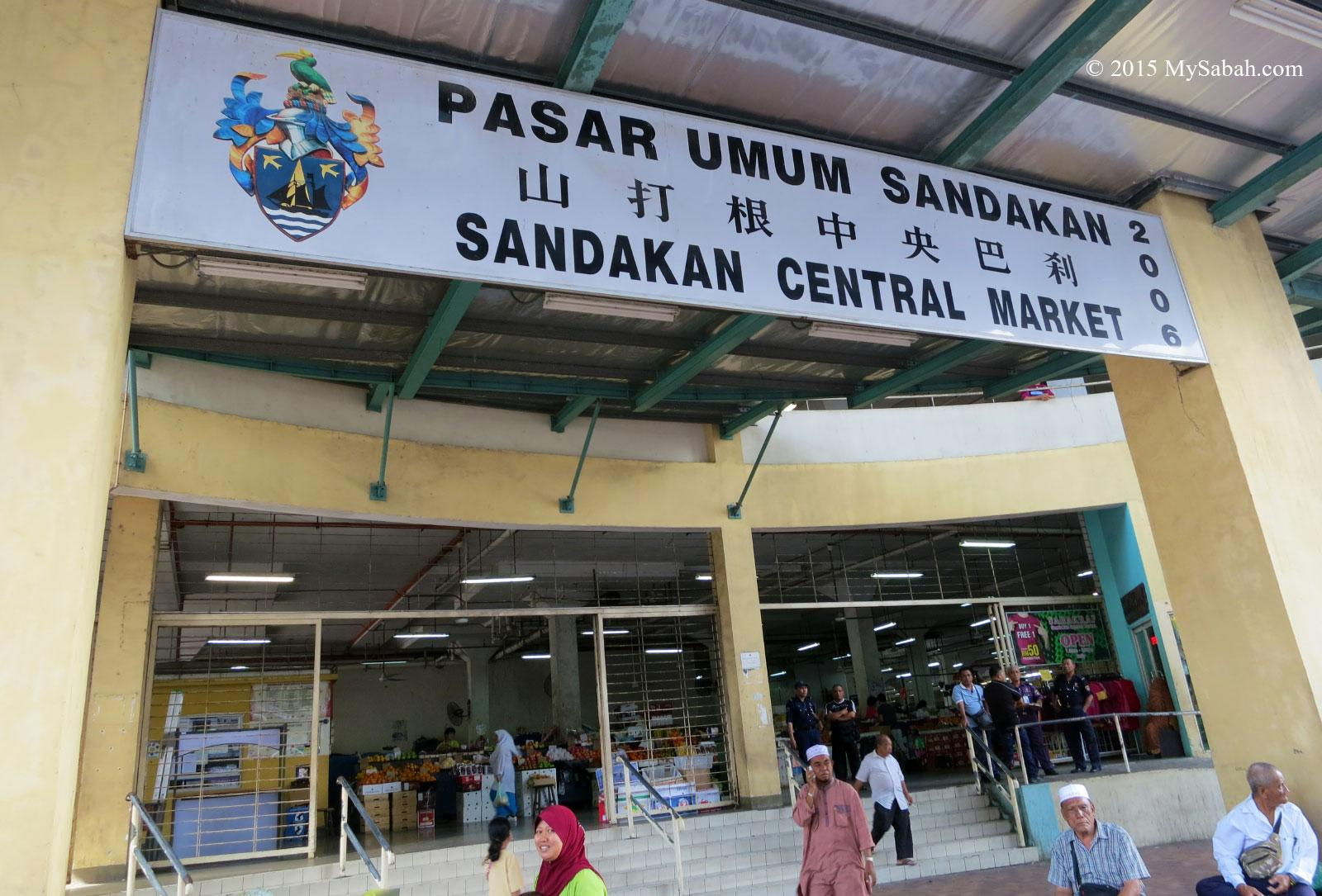
[38] https://www.molon.de/galleries/Malaysia/Sabah/Sandakan/images01/13%20Pasar%20Umum%20Sandakan%20central%20market.jpg Title: Photo of Pasar Umum Sandakan central market. Sandakan, Sabah ... Source: Alfred Molon Image:  Qwen3.6-Plus Now I can see the main sign of Sandakan Central Market (Pasar Umum Sandakan). The sign shows: “PASAR UMUM SANDAKAN” (top line) “山打根中央巴刹” (Chinese characters in the middle) “SANDAKAN CENTRAL MARKET” (bottom line) “2006” written vertically on the right side The numbers “2 0 0 6” are written vertically on the right side of the sign. This is from the 2022 image, but the question asks about what was written in 2024. Let me search for more recent images of the Sandakan Central Market sign from 2024 to confirm whether the “2006” is still there or if it changed.
[“Pasar Umum Sandakan 2024 sign main entrance”, “Sandakan Central Market 2024 signboard vertical text”]
[“Pasar Umum Sandakan 2024 sign entrance”, “Sandakan Central Market 2024 main sign”] User [53] https://www.mysabah.com/wordpress/sandakan-central-market/ Title: Sandakan Central Market - MySabah.com Snippet: Take a stroll in Sandakan Central Market (Pasar Umum Sandakan), after browsing hundreds of stalls with thousands of colourful items on display. Date: Dec 29, 2015
[54] https://www.facebook.com/barkahthrift/posts/-pasar-umum-sandakan-sabah-photo-credit-via-fb-lm-soosandakan-sandakanvibes-sdkv/895672639234531/ Title: Pasar Umum Sandakan, Sabah Photo credit via FB LM Soo ... Snippet: Pasar Umum Sandakan, Sabah Photo credit via FB LM Soo #sandakan #sandakanvibes #sdkvibes #sabah #borneo #malaysia. Date: Mar 2, 2024
[55] https://www.instagram.com/explore/locations/903860/pasar-umum-sandakan/ Title: Pasar Umum Sandakan! on Instagram • Photos and Videos Snippet: See photos and videos taken at this location and explore places nearby. Date: N/A
[56] https://yandex.com/maps/org/68039535792/ Title: Yandex Maps - Pasar Umum Sandakan! Snippet: Market Pasar Umum Sandakan! sandakan, Sandakan, Sabah. Get directions in Yandex Maps. Date: N/A
[57] https://www.youtube.com/watch?v=K9rYFYZ6qXE Title: PASAR UMUM SANDAKAN - YouTube Snippet: Sign in. This content isn't available. Produk-produk wajib beli untuk orang tersayang sebelum tinggalkan sandakan.. PASAR UMUM SANDAKAN. 71 ... Date: Jun 14, 2023
[58] https://www.facebook.com/groups/606307082869043/posts/2882659435233785/ Title: Pasar Umum Bandar Sandakan, Sabah, Malaysia. 27.09.24 Snippet: Pasar Umum Bandar Sandakan, Sabah, Malaysia. 27.09.24. Date: Sep 27, 2024
[59] https://www.instagram.com/explore/locations/307548136403337/pasar-umum-sandakan/ Title: Pasar Umum Sandakan - Instagram Snippet: See photos and videos taken at this location and explore places nearby. Date: N/A
[60] https://www.tiktok.com/@ikonhubsabah/video/7569952091284819207 Title: Pasar Umum Sandakan: Meriah dan Tradisional - TikTok Snippet: Home sweet home Kampung Sim-Sim, Sandakan Sabah ... Sandakan Sabah, Sandakan Little Hong Kong, Galaxy Sandakan, Bandar Sandakan 2024 ... Date: Nov 7, 2025
[61] https://www.instagram.com/reel/DQwSWmXjTm1/ Title: Sandakan Part 2 (Pasar Umum Sandakan) Tempat ni kalau pagi ... Snippet: ... CENTRAL ΜΑ Welcome To SANDAKAN PART2 2 MOSH AHPAGAS EP PASAR UMUM SANDAKAN . Bot BotLaju Laju . 理发店 KEDAI KEDAICUNTING 理发店品 ... Date: Nov 7, 2025
[62] https://www.facebook.com/groups/SeeLifeThroughLens/posts/10161690754931113/ Title: Pasar Umum Sandakan, Sabah, Malaysia. 12.10.24 - Facebook Snippet: Pasar Umum Sandakan, Sabah, Malaysia. 12.10.24. Date: Oct 12, 2024
[63] https://strapi.eaza.net/uploads/2025_Manouria_emys_EAZA_Best_Practice_Guidelines_Approved_75d11ba759.pdf Title: [PDF] EAZA Reptile Taxon Advisory Group Snippet: An example of educational signage is presented in Appendix 3. Page 26. EAZA Best Practice Guidelines. Asian giant forest tortoise (Manouria emys). Date: Dec 4, 2025
[64] https://s3-us-gov-west-1.amazonaws.com/cg-654ebf73-8576-4082-ba73-dd1f1a7fe8dc/uploads/USTDA-Indo-Pacific-Resource-Guide-EDIT_0.pdf Title: [PDF] USTDA Indo Pacific Resources Guide EDIT_0.pdf - Amazon S3 Snippet: Sabah Oil and Gas Development Corporation Sdn Bhd (SOGDC) is a wholly-owned company of the state of Sabah designated as the vehicle to own, manage and market. Date: N/A
[65] https://issuu.com/fbipublicationsmalaysia/docs/palm_oil_mag_jul-sept_2024_e-mag_ Title: Asia Palm Oil Magazine Jul-Sept 2024 - Issuu Snippet: A WPL rate of 3% is applied to palm oil priced above RM3,000 per tonne in Peninsular Malaysia and above RM3,500 per tonne in Sabah and Sarawak. Date: Jul 16, 2024
[66] https://www.apo-tokyo.org/wp-content/uploads/2023/12/APO_RIS-APO-IssuesCh-2023_Book_high.pdf Title: [PDF] Download - Asian Productivity Organization Snippet: The Asian Productivity Organization (APO) is an intergovernmental organization that promotes productivity as a key enabler for socioeconomic development and. Date: N/A
[67] https://www.jal.com/en/sustainability/report/pdf/index_2024a.pdf Title: [PDF] JAL REPORT 2024 Snippet: The JAL Group established a Medium-Term Management. Plan FY2021-2025 to realize its Corporate Policy, Purpose, and JAL Vision 2030. Date: Aug 1, 2024
[68] https://www.tiktok.com/@blossom_nine/video/7238521589493402882 Title: Preparing for Korea Travel: Form Filling Details & Flight Procedures Snippet: Do we have to go through a TSA type of baggage screening? 2024-6-22Reply. 0. Date: May 29, 2023
[69] https://www.lpicapital.com/downloads/annualreport2023.pdf Title: [PDF] Annual Report 2023 - LPI Capital Bhd Snippet: LPI Capital Bhd's (“LPI”) 2023 integrated annual report provides a comprehensive overview of the business activities of LPI and its wholly-owned ... Date: Feb 29, 2024
[70] https://www.sirim-qas.com.my/wp-content/uploads/2025/03/PS-Sime-Darby-Plantation-Berhad-SOU-29-Giram-Annual-Surveillance-Audit-No.-4.pdf Title: [PDF] SIME DARBY PLANTATION BERHAD - sirim qas Snippet: Total allocation of auditor days for Giram CU were: Mill = 3 days. Mosty Estate and Giram Estate = 3.5 days each for verification of safety and health,. Date: N/A
[71] https://www.ijm.com/sites/default/files/annualreport-pdf/arc_ar_2025_0_0.pdf Title: [PDF] Annual Report 2025 - IJM Corporation Berhad Snippet: IAR 2025 provides an overview of IJM's performance and key achievements throughout the financial year from. 1 April 2024 to 31 March 2025 ... Date: Jul 28, 2025
[72] https://bimp-eaga.asia/sites/default/files/publications/PRF14-IP%20ACT%20BIMP-EAGA%20Vision%202025_WEB_09Oct23.pdf Title: [PDF] BIMP-EAGA - Accelerating Cooperation Together (ACT) Snippet: Tuna Park and central public market complex. Phase. 2 is the construction of the baywalk and access roads. Phase 3 is the construction of public rental. Date: N/A User [53] https://www.mysabah.com/wordpress/wp-content/uploads/2015/10/20151221_2.jpg Title: Sandakan Central Market - MySabah.com Source: MySabah.com Image: